
On a Mac, Preview’s Inspector, the info button in the toolbar, shows a PDF’s document information, such as the author name, and its Keywords tool lets you add, remove and edit keywords. Preview offers no field for changing the title or the author. For every field, run pdfinfo or exiftool in Terminal. To change the title, author or subject, use Acrobat’s Document Properties or the free exiftool, then rewrite the file with qpdf so the old values do not stay inside it. Finder’s Get Info mostly describes the file on your disk, plus a few fields Spotlight read from the document. Metadata is easy to change and proves nothing on its own, so change it to describe a document correctly, never to misstate who made it or when.
Can Preview show and change a PDF’s metadata?
It shows it, and it changes the keywords. Open the PDF in Preview and click the info button in the toolbar, or choose Tools > Show Inspector. Apple’s guide says: “You can view information about a document or image, such as file size, the author name, and the image resolution, in the Inspector window.” The General Info tool lists the document’s properties.
The Keywords tool is where Preview edits. Apple’s guide for macOS Tahoe says “You can assign keywords to PDFs and images opened in Preview, so that you can search using those keywords”, and gives the three actions:
- “Add a keyword: Click the Add button, type a keyword in the keyword field, then press the Return key.”
- “Remove a keyword: Select it, then click the Remove button.”
- “Edit a keyword: Double-click to edit it, then press the Return key.”
Apple’s guide describes no way to change the title, the author or the dates in Preview. For those, use the Terminal tools or Acrobat below. We have not checked where Preview stores the keywords inside the file; pdfinfo prints the file’s Keywords field if you want to see what another app will read.
What does Finder’s Get Info show?
Select the file and press ⌘I. Most of the Info window describes the file as your Mac stores it: its size, its location, and the dates the file system recorded when it was created and last modified on this disk. Those dates change when you download the file or when an app saves it. The More Info section can also show some of the document’s own fields as Spotlight indexed them. mdls in Terminal prints the same index: on the demo invoice, it gives the title “Invoice LP-2026-031” and the encoding software “Quartz PDFContext”, both read from the PDF.
The PDF’s own creation and modification dates live inside the file and change only when an app writes them, so the file-system dates and the document’s dates often disagree, and that is normal.
Step 1: How do I see every metadata field in Terminal?
Two free tools read everything. pdfinfo comes with Poppler (brew install poppler); exiftool installs with brew install exiftool. On the demo invoice of this site’s screenshots, pdfinfo 26.08.0 printed, among other lines:
Title:           Invoice LP-2026-031
Subject:         Invoice to Harbour Lane Bakery
Author:          Lumen & Pike Design Studio
Creator:         PDF Textfix demo documents
Producer:        Quartz PDFContext
CreationDate:    Mon Mar  2 11:15:00 2026 EET
ModDate:         Mon Mar  2 11:15:00 2026 EET
Metadata Stream: no
These are the entries of the document information dictionary that the PDF standard defines. Title, Subject, Author and Keywords describe the document. Creator names the app the original was made in, and Producer the software that turned it into a PDF; here Quartz, the PDF engine of macOS, wrote the file. CreationDate is, in the standard’s words, “The date and time the document was created, in human-readable form”, and ModDate the date it was last modified.
“Metadata Stream: no” means the file has no XMP packet, the XML copy of the same facts that many apps add. When a file has both, they can disagree; exiftool -a -G1 file.pdf lists the two side by side, grouped as PDF and XMP.
Step 2: How do I change a PDF’s title or author?
In Acrobat, the fields are under File > Document properties > Description. Adobe’s help adds a useful reassurance: “Editing metadata doesn’t alter the document’s content.”
With exiftool, one command sets a field. Work on a copy:
cp report.pdf report-edited.pdf
exiftool -Title="Quarterly report" -Author="Accounts" report-edited.pdf
In our test on a copy of the demo invoice, exiftool changed the Author and added an XMP packet with the same value. Subject and Keywords work the same way, with -Subject= and -Keywords=.
Step 3: How do I make sure the old values are gone?
Rewrite the file. ExifTool’s own documentation warns that its PDF edits are appended to the file and reversible, and that this “is a potential security problem because old information is never actually deleted from the file.” Our test confirmed it: after the change, the old author name was still in the file, and exiftool -PDF-update:all= brought the original back byte for byte, all 63,626 bytes. Rewriting the file with qpdf drops what nothing refers to any more, as qpdf’s manual says: “Ordinarily any object that is not referenced in a traversal of the document from the trailer dictionary will be discarded.”
brew install qpdf
qpdf report-edited.pdf report-final.pdf
After the rewrite, the old author name was gone from our test file and the new one remained. Check the result with pdfinfo report-final.pdf.
What do the dates actually mean?
They are statements written by software, nothing more. An app that saves a PDF may set the modification date, or may leave it alone, and any app that writes the file can rewrite either date, so the dates prove nothing. They help you sort and find files, but they do not show when a document was really written or changed. This page does not cover changing them, and a date should never be changed to make a document look older or newer than it is. Can you tell if a PDF has been edited looks at what a file can and cannot reveal. If what you need to correct is a date printed on the page, that is text, not metadata: changing a date in a PDF covers it.
Why check metadata before you send a PDF?
Because it travels with the file. The Author field often holds the name of the account that made the document, the Title can keep a draft’s working name, and Creator and Producer name your software. Adobe’s help puts it in one line: “Removing metadata might be necessary for sensitive documents before sharing.” Look at the fields with pdfinfo before you send a file, change what should not be there, and rewrite the file as in step 3. A tagged PDF can also hold accessibility text for each page, which is not metadata but travels the same way.
What does PDF Textfix do to a PDF’s metadata?
It leaves the values as they were. PDF Textfix changes lines of text on the page, and when it saves an edit it copies everything else unchanged, unless the file was damaged; PDF Textfix tells you when it repaired one. That includes the document’s properties, such as Title, Subject and Keywords, and its XMP metadata, which keeps the same content but is written uncompressed, because qpdf always writes it that way. It does not set the modification date or the producer inside the file. Earlier revisions the file arrived with are not kept once you save an edit. The Finder’s modified date does change, because Save writes the file again.
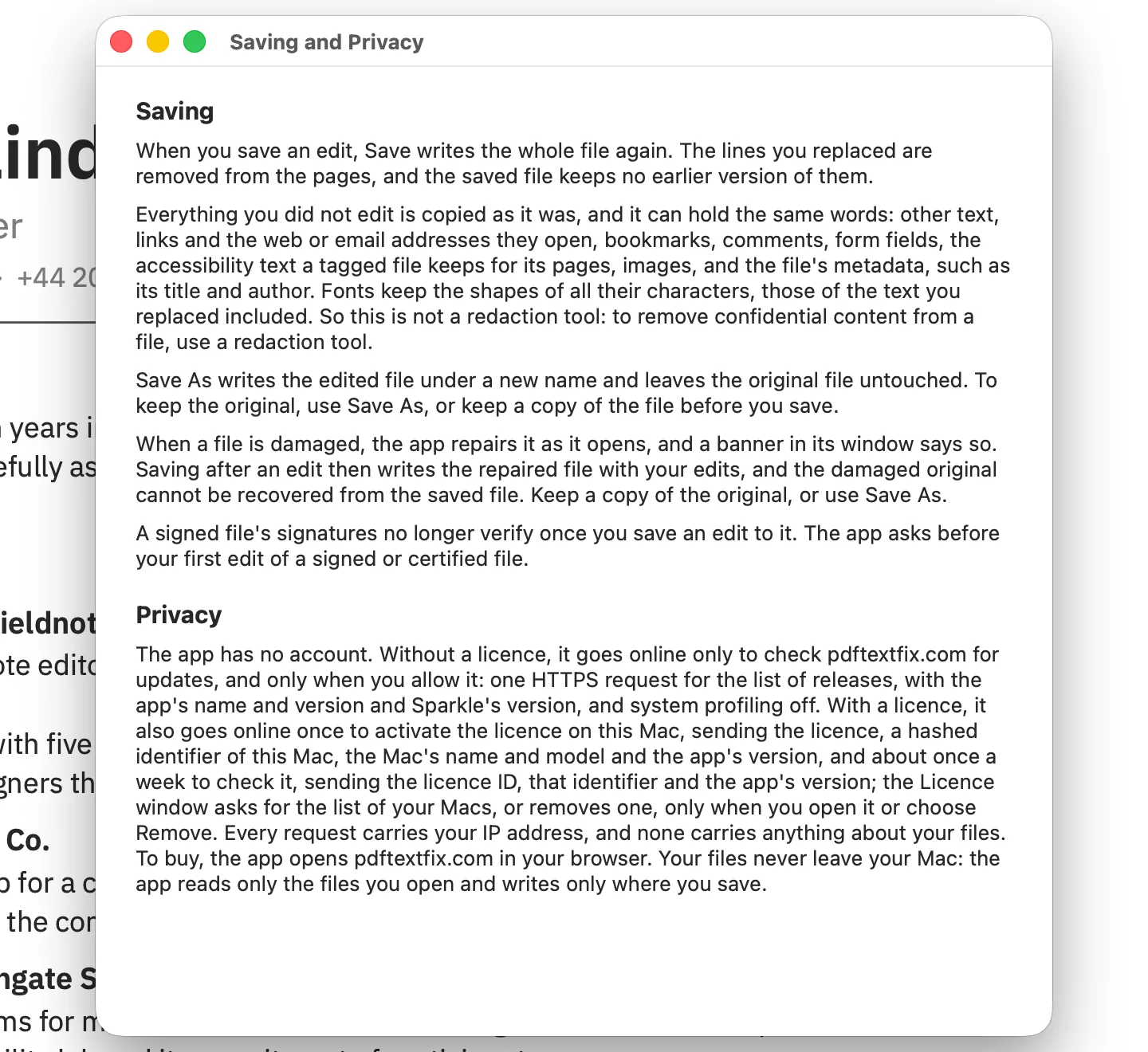
That has one practical consequence. If the text you corrected on a page also appears in the title or keywords, the old words are still there after you save, and PDF Textfix is not a redaction tool. Check the properties with pdfinfo before you share the file, and change them with the tools above. The app itself reads only the files you open and writes only where you save; the privacy policy has the details.
Questions
Can I edit PDF metadata in Preview?
Partly. Preview’s Keywords inspector adds, removes and edits keywords. For the title, the author and the other fields, use exiftool or Acrobat.
How do I remove my name from a PDF's properties?
Run exiftool -Author= file.pdf on a copy, then rewrite it with qpdf, so the old value does not stay in the file. Check the result with pdfinfo.
Does changing the metadata change what the pages show?
No. The title, author and dates sit beside the pages; the text and pictures on the pages stay exactly as they were.
Does PDF Textfix update the modification date inside the PDF?
No. It copies the document’s metadata values as they were, unless the file was damaged; it tells you when it repaired one. The file’s date in the Finder changes because saving writes the file.
