
Press kit
Facts, copy, screenshots, videos and brand files for writing about PDF Textfix, the Mac app that corrects the text of your own PDFs.
About PDF Textfix
PDF Textfix is a Mac app for correcting the text of your own PDFs: a wrong date on an invoice, a typo in your CV, a name in a letter. Double-click a line, type, press Return. PDF Textfix writes the change with the fonts inside the document, checks every edit before applying it, and saves the file again without the text you replaced on the page. Free to try. Your first 5 line edits save clean. After that, saved files carry a watermark until you buy once. There is no account and no subscription.
- Platform
- macOS 26 or later, on a Mac with Apple silicon
- Pricing
- Free to try: the first 5 line edits on each Mac save without a watermark; after that, saved files carry one until you buy once. US$29.99 as an in-app purchase in the Mac App Store, or US$29 from pdftextfix.com. No subscription. Prices by region
- Developer
- Pocket Implementation S.R.L., Bucharest, Romania
- Launch
- Coming soon
- Version
- 1.0.0
- Download size
- Not released yet
- Languages
- English
- Coming soon to the Mac App Store
- Download
- Release notes
- Support
Screenshots
-
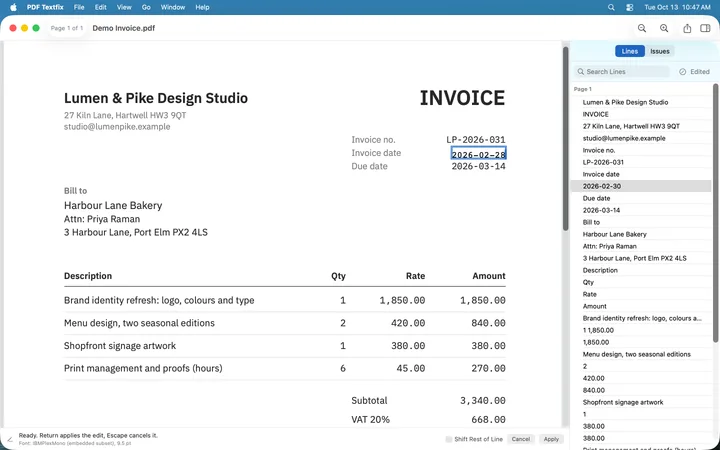 (open at full size)
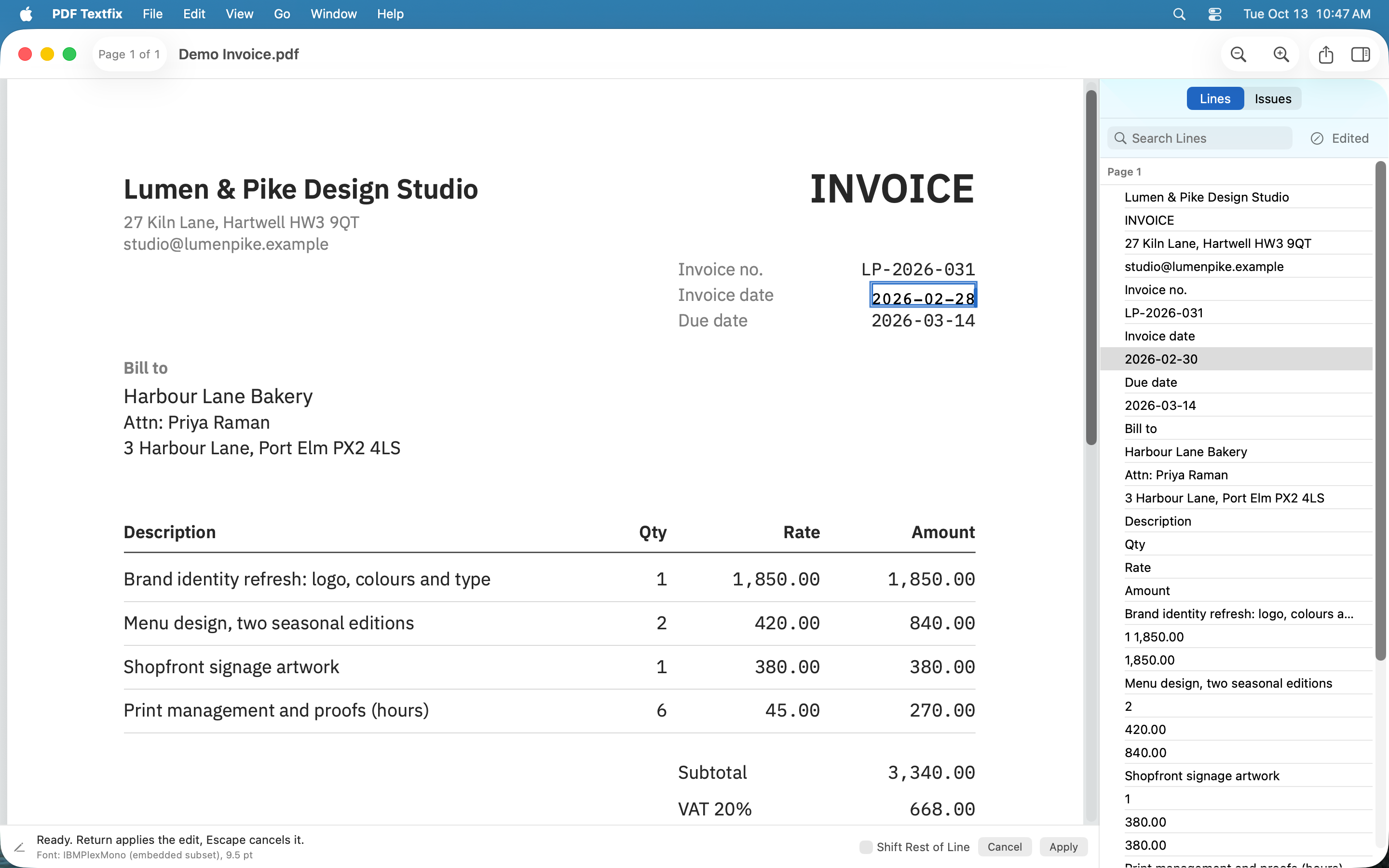
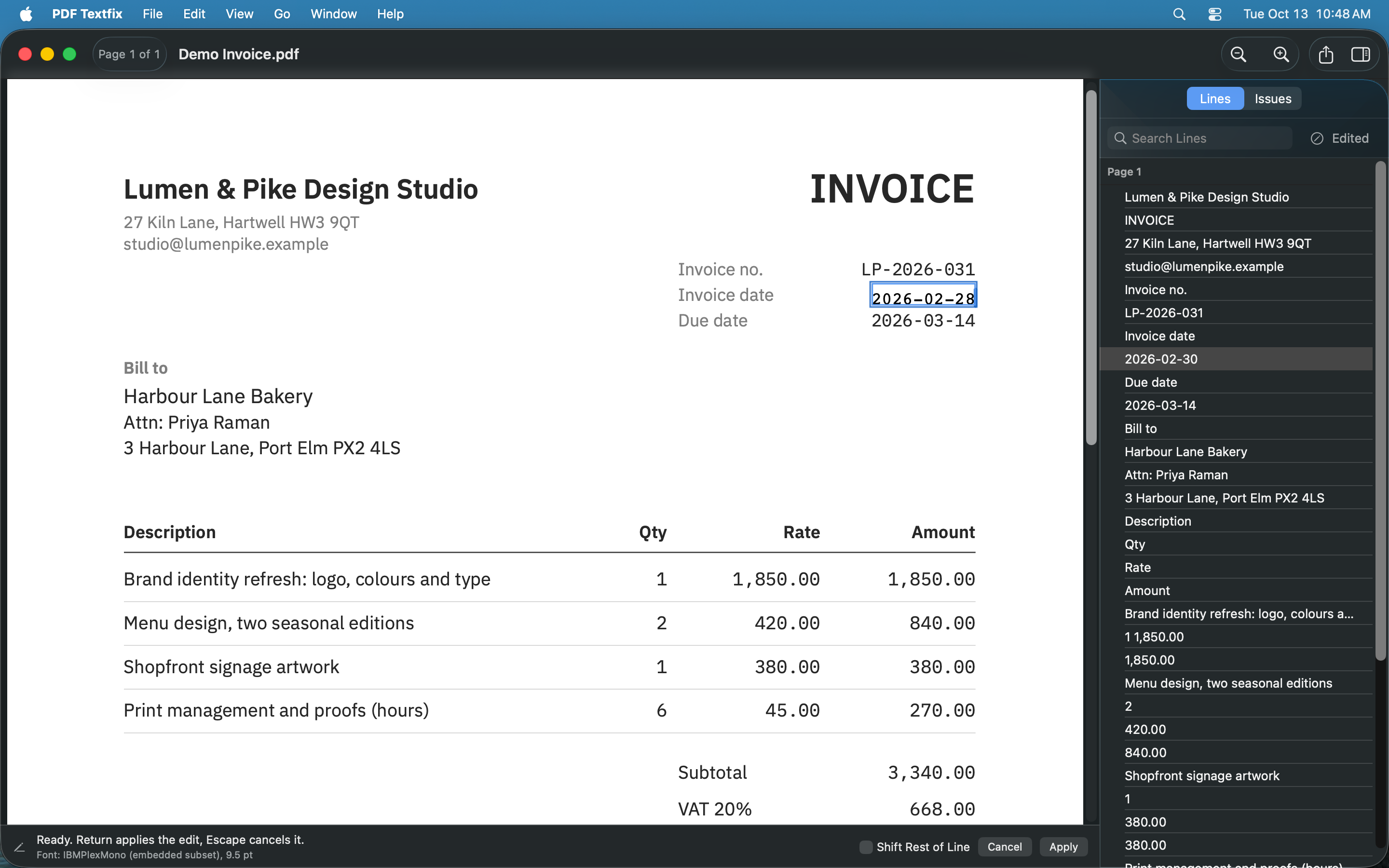
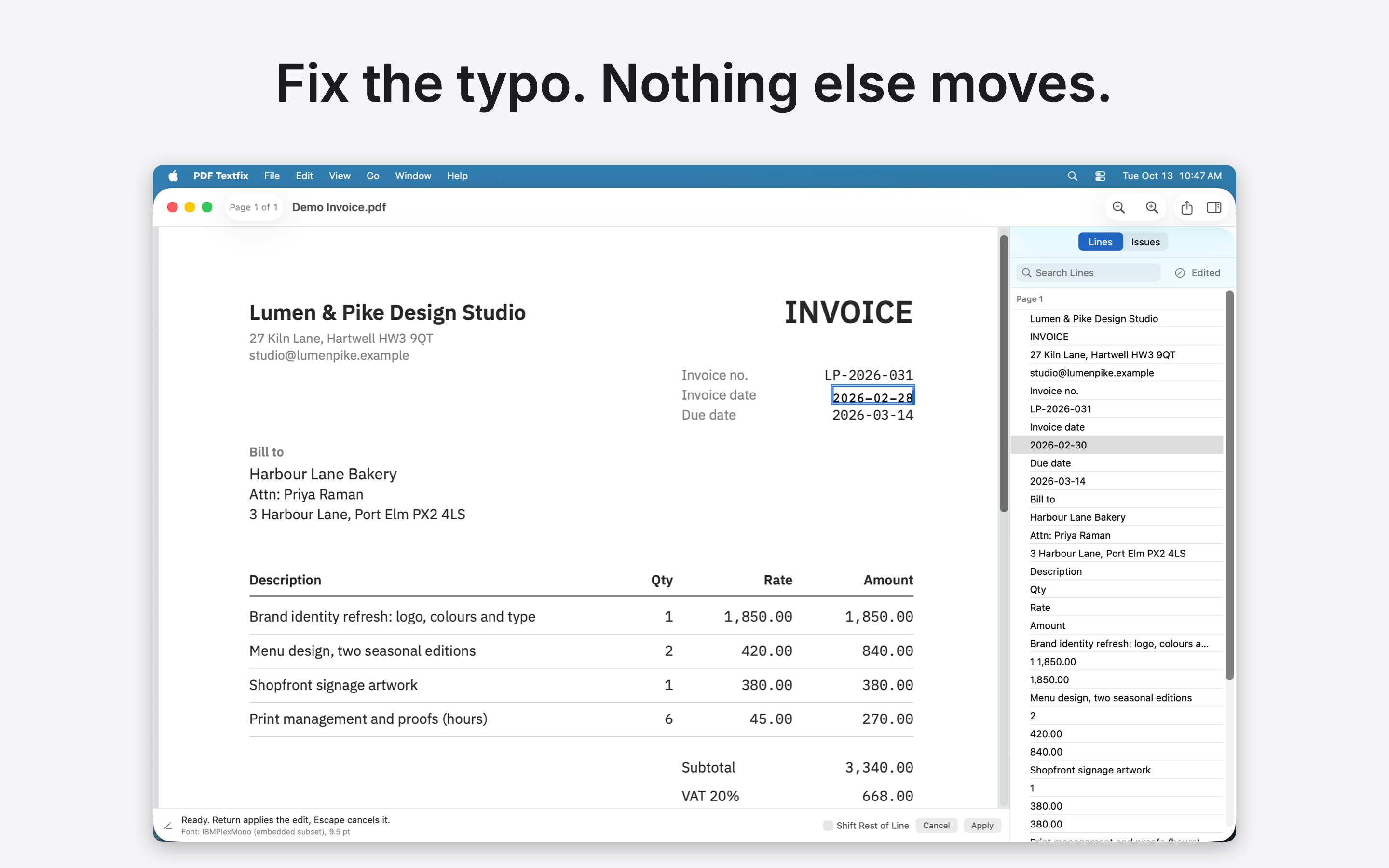
 01 · Fix the date · Light
Fix the typo. Nothing else moves.
Download 01 · Fix the date · Light, screenshot: PNG 580 KB Download 01 · Fix the date · Light, screenshot: PNG with caption 613 KB
-
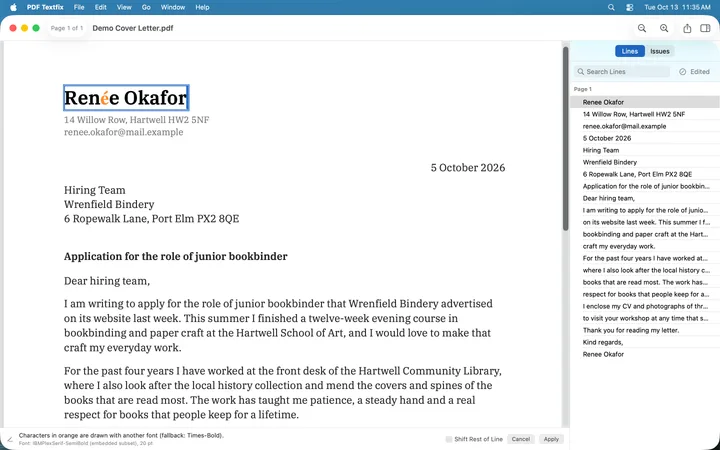 (open at full size)
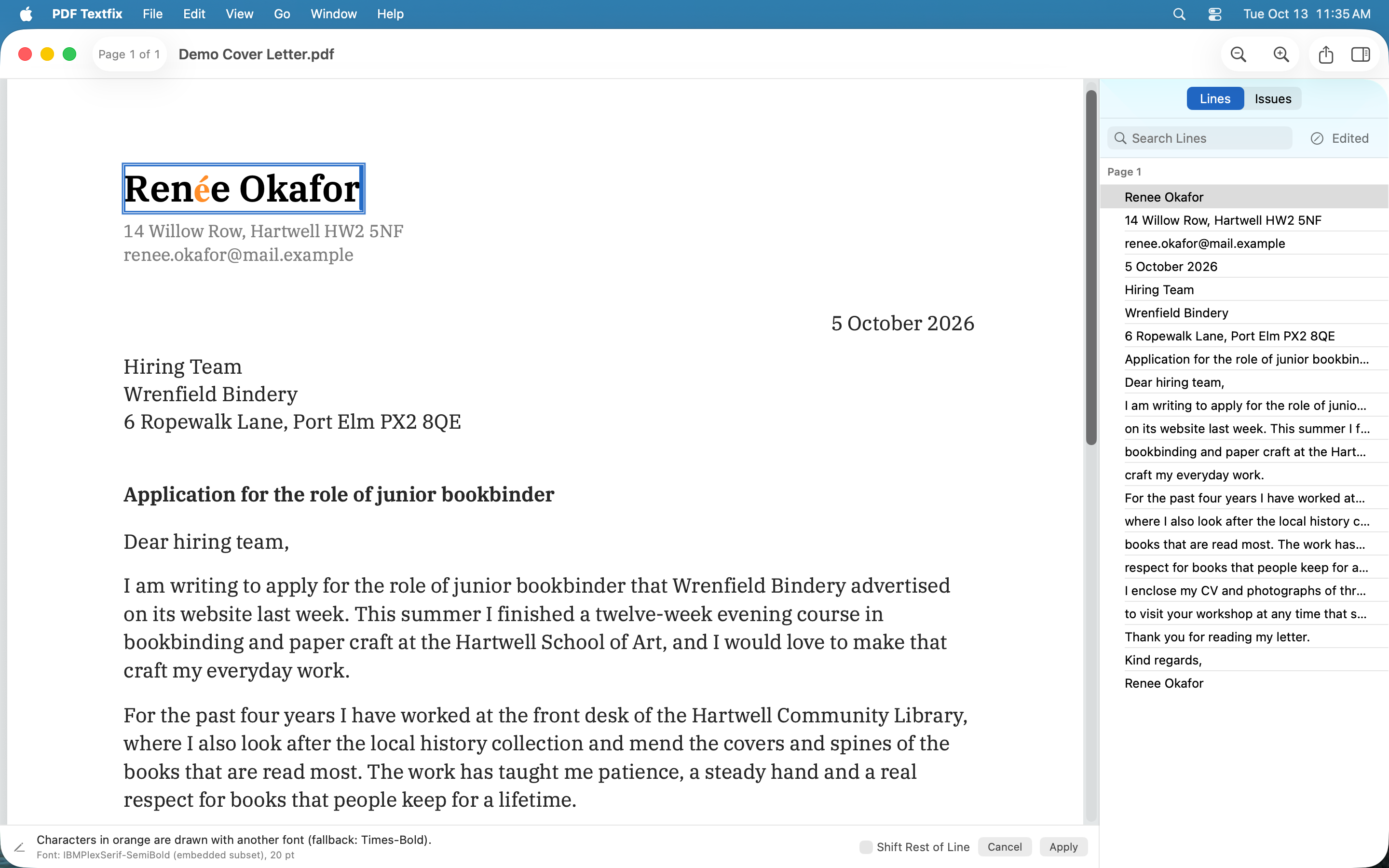
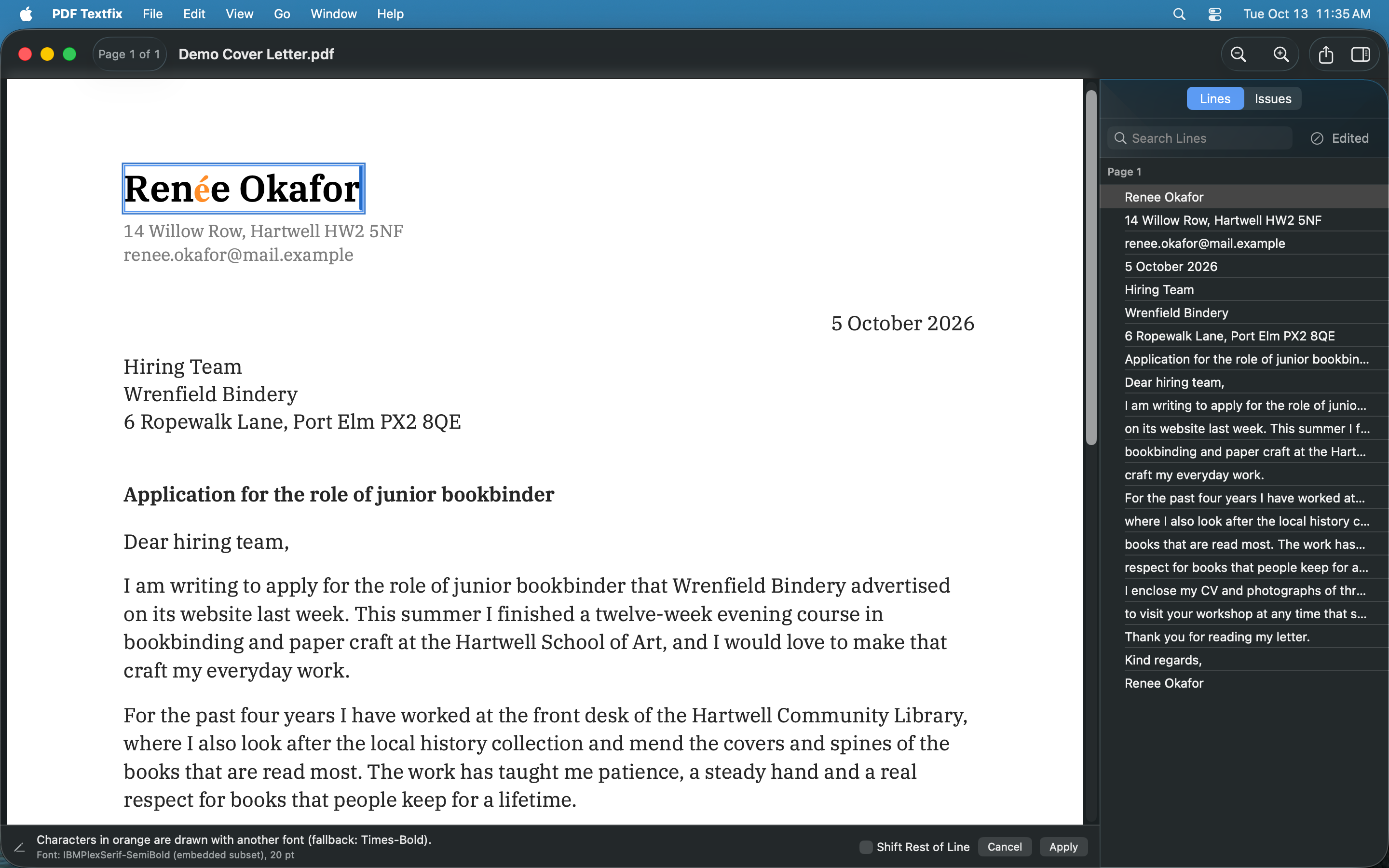
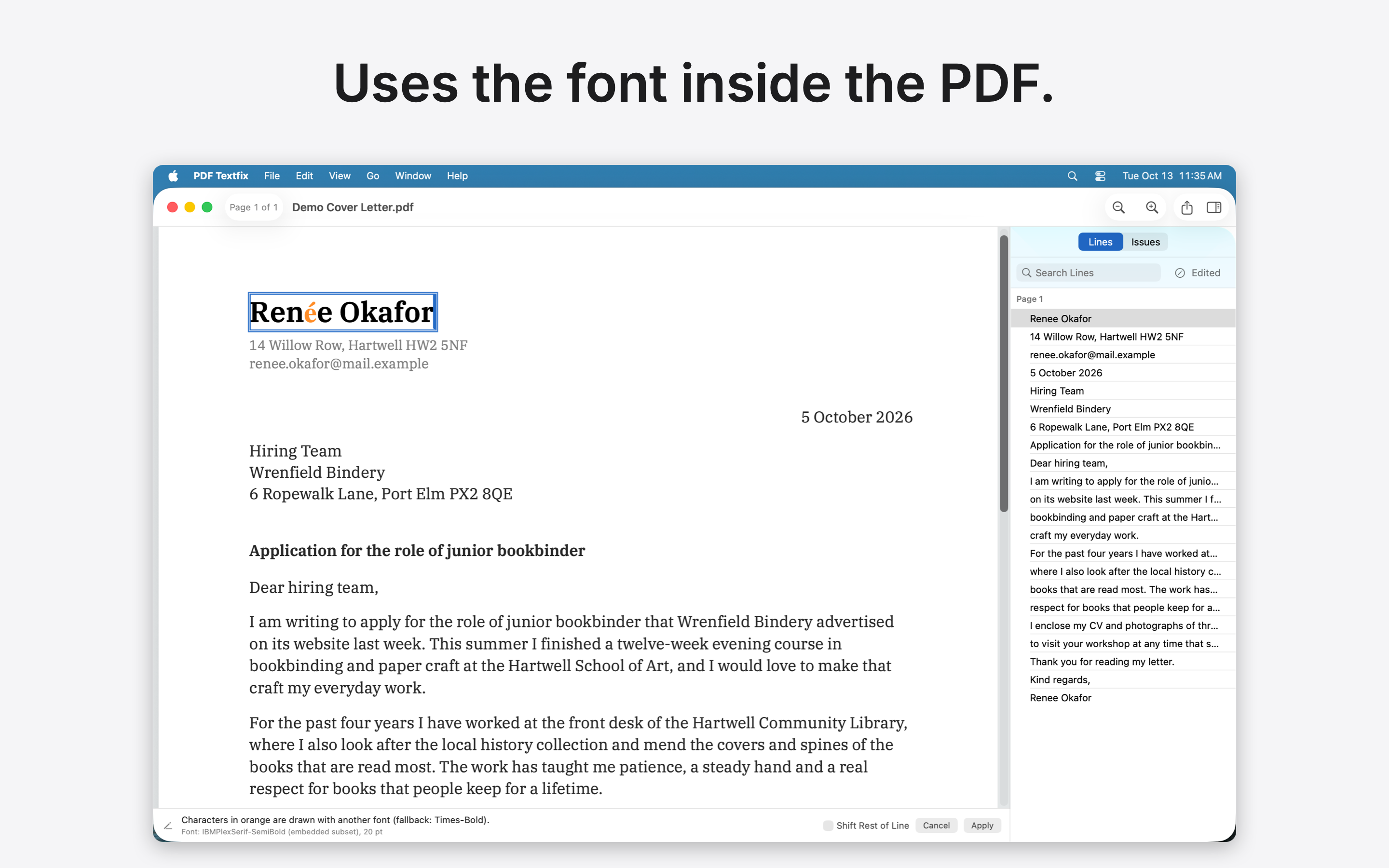
 02 · Same font · Light
Uses the font inside the PDF.
Download 02 · Same font · Light, screenshot: PNG 644 KB Download 02 · Same font · Light, screenshot: PNG with caption 744 KB
-
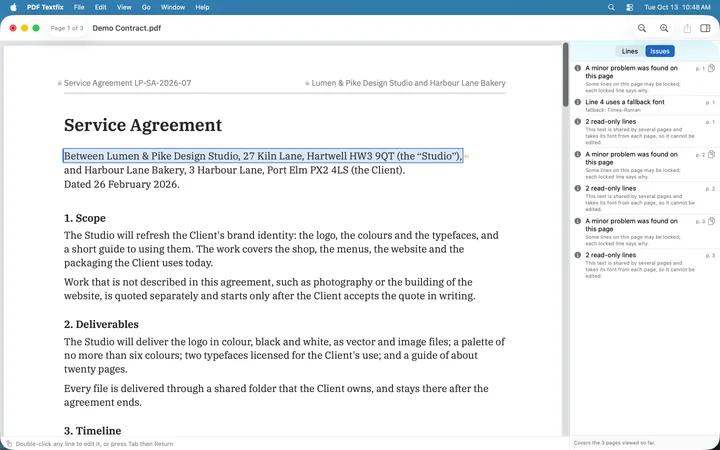 (open at full size)
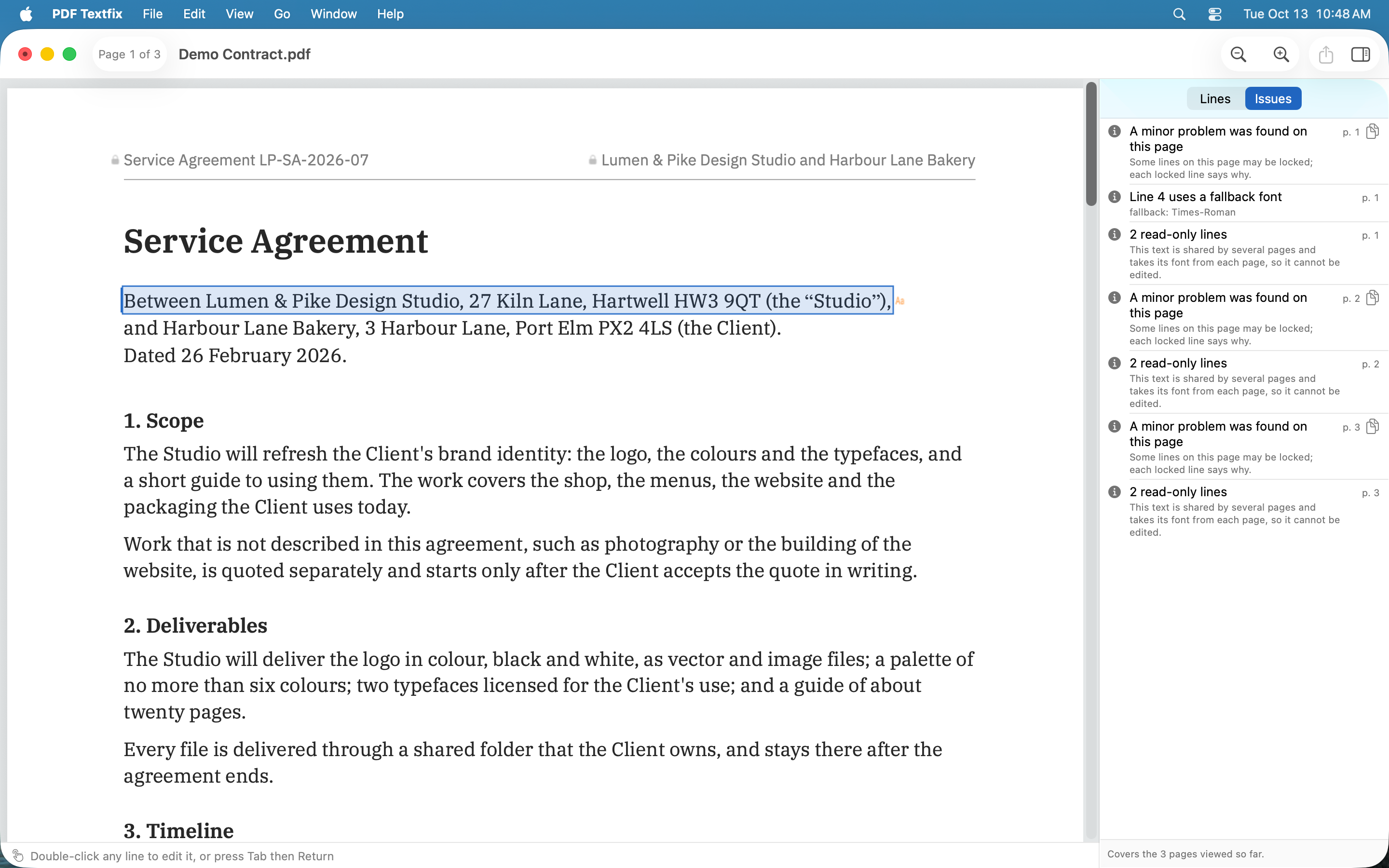
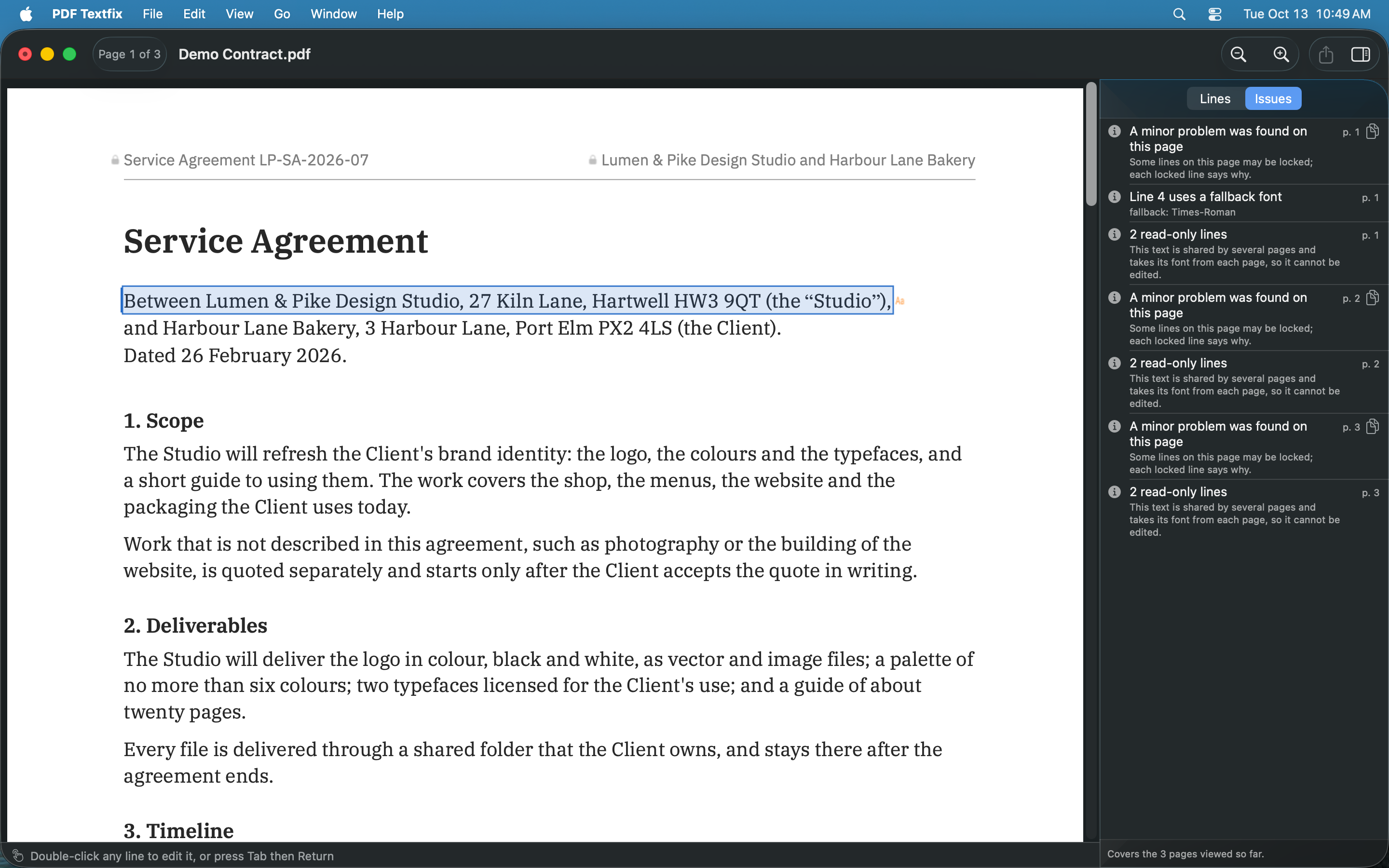
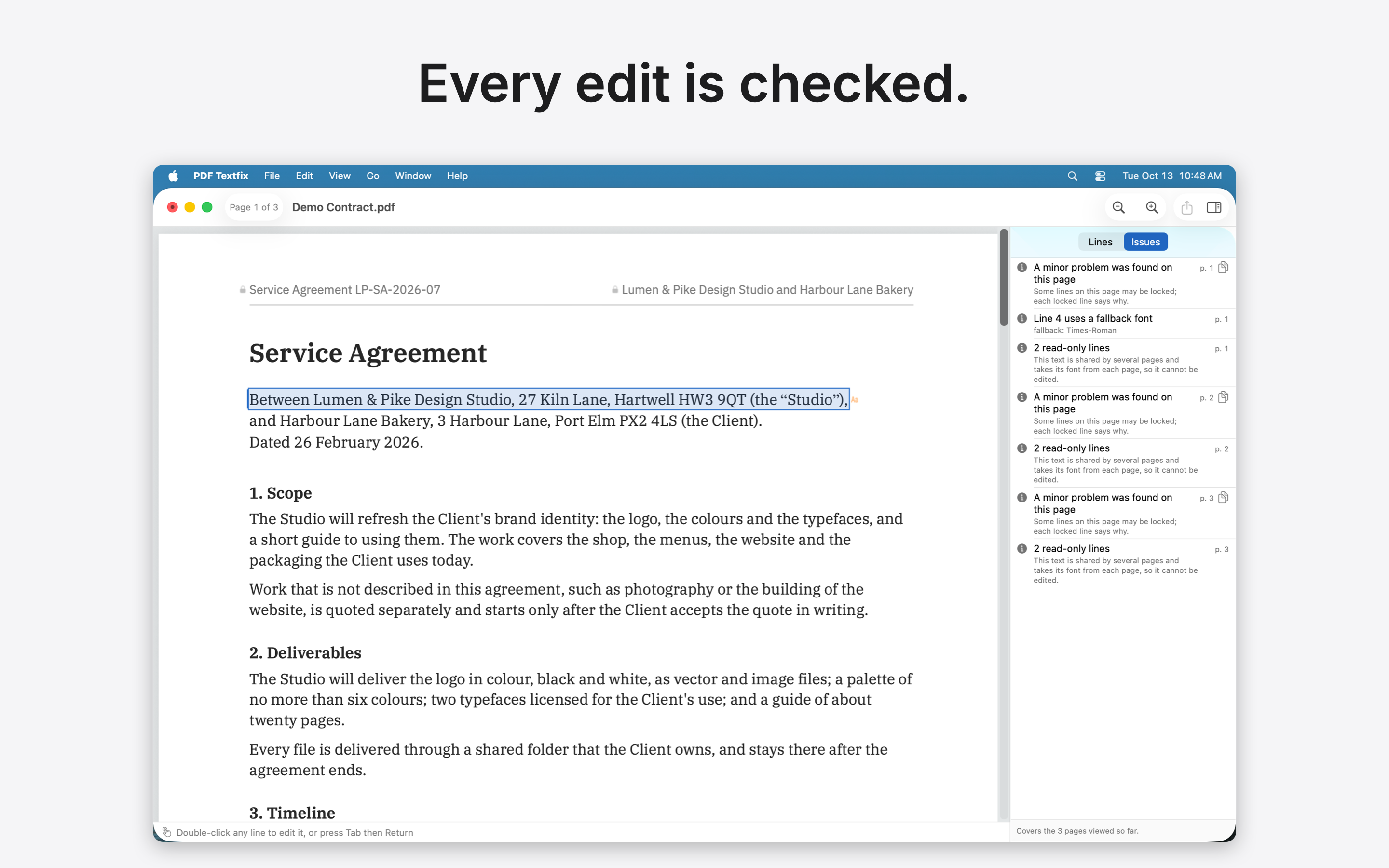
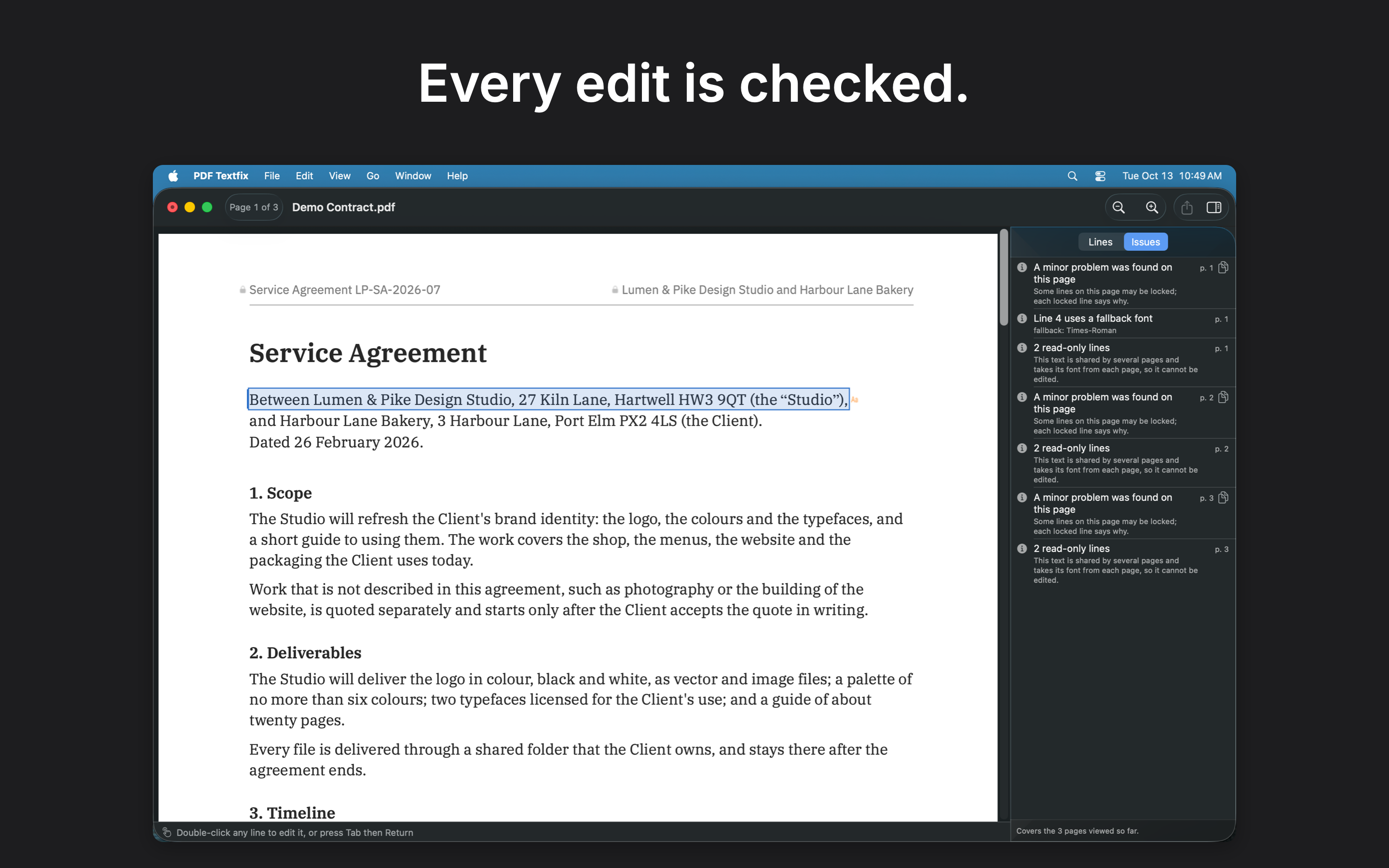
 03 · Every edit checked · Light
Every edit is checked.
Download 03 · Every edit checked · Light, screenshot: PNG 661 KB Download 03 · Every edit checked · Light, screenshot: PNG with caption 786 KB
-
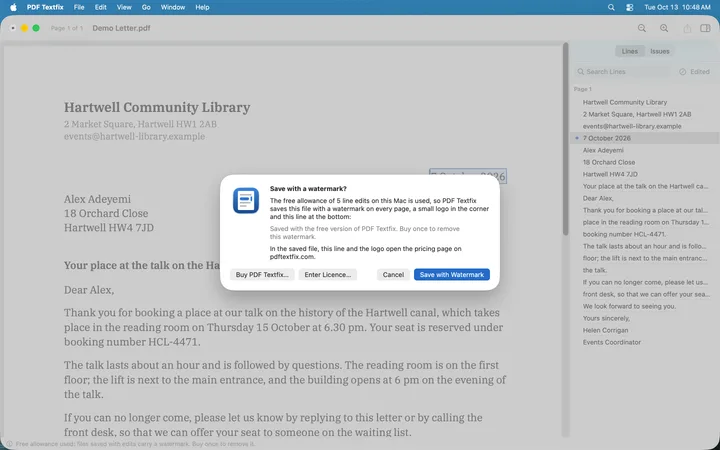 (open at full size)
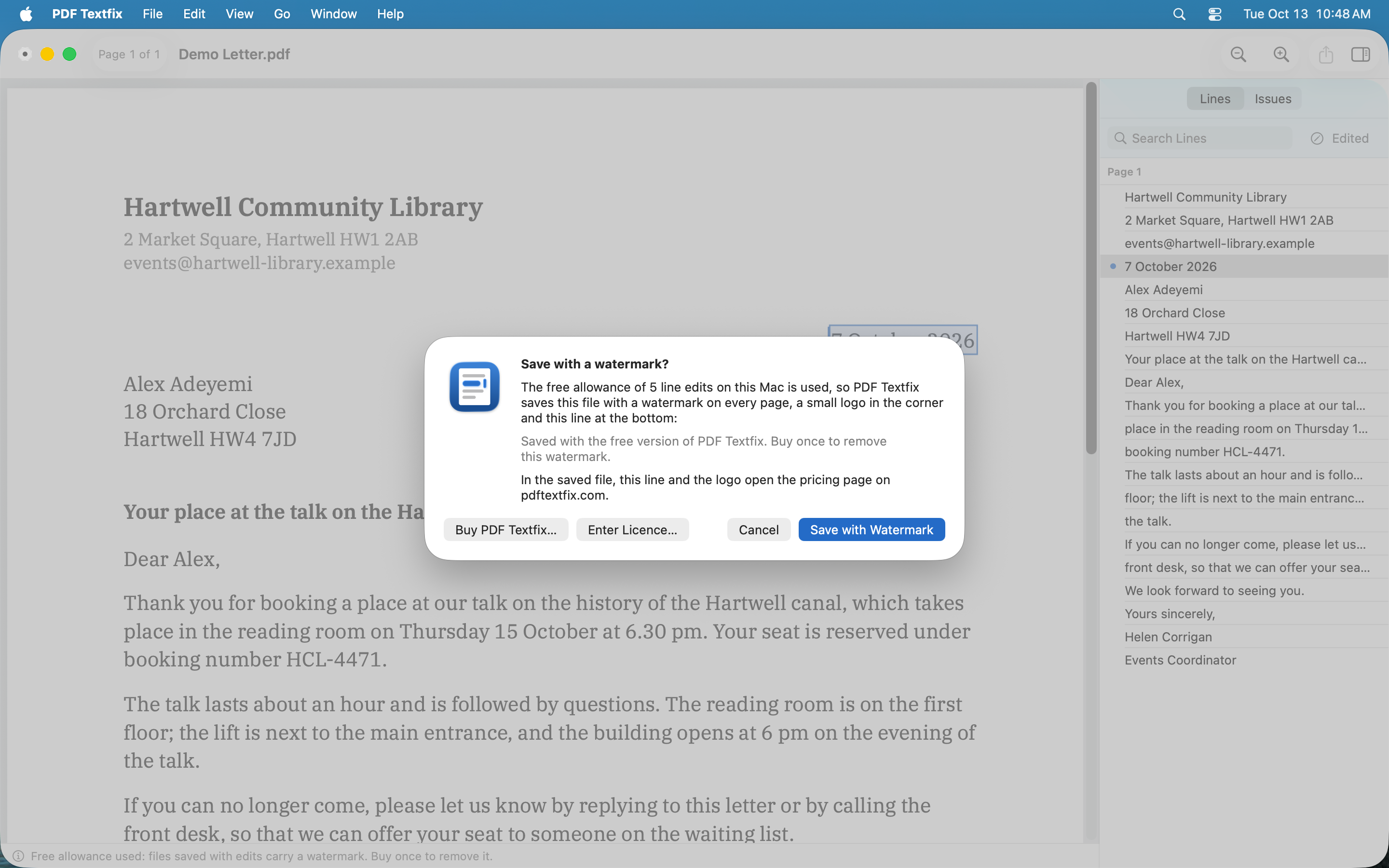
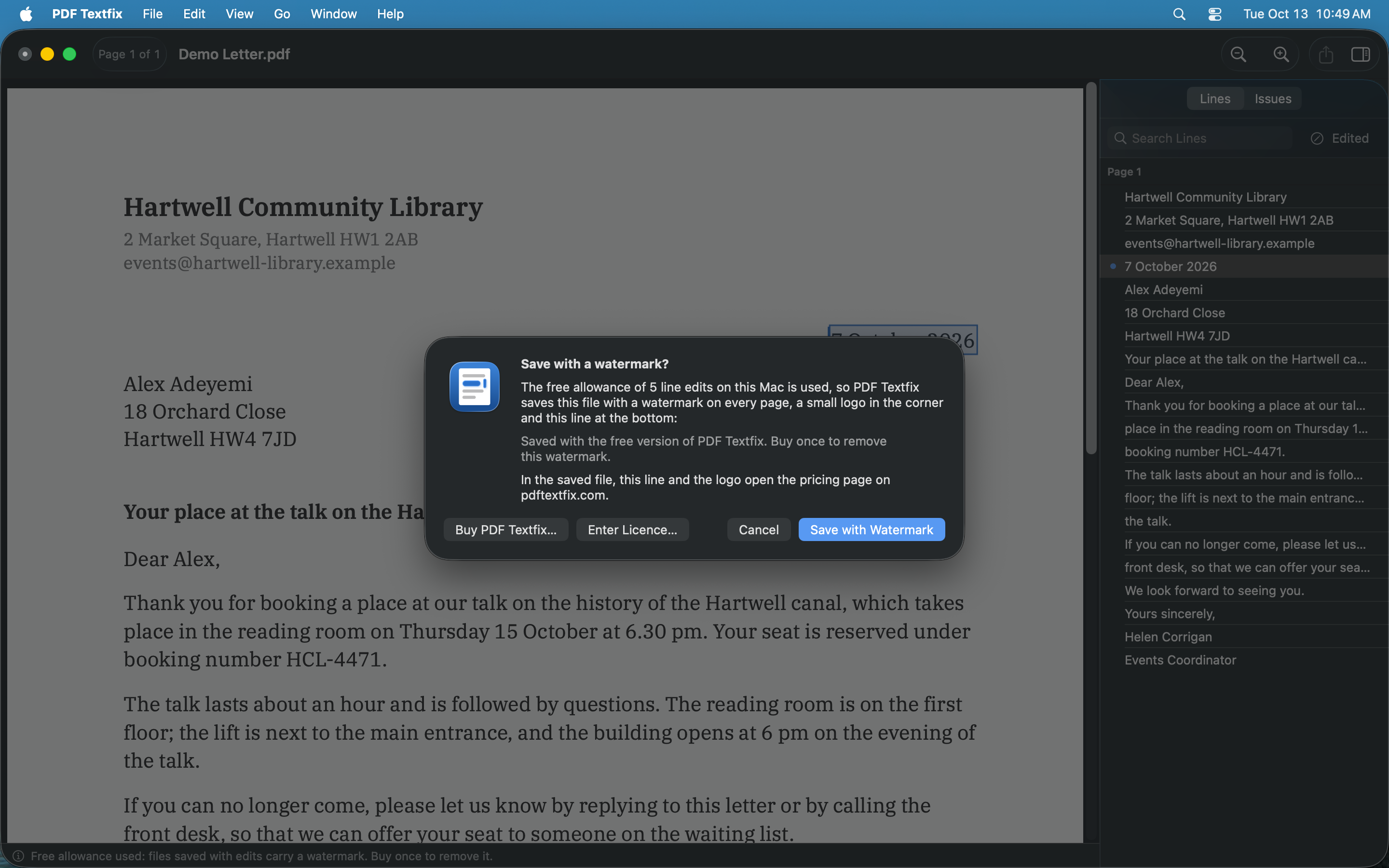
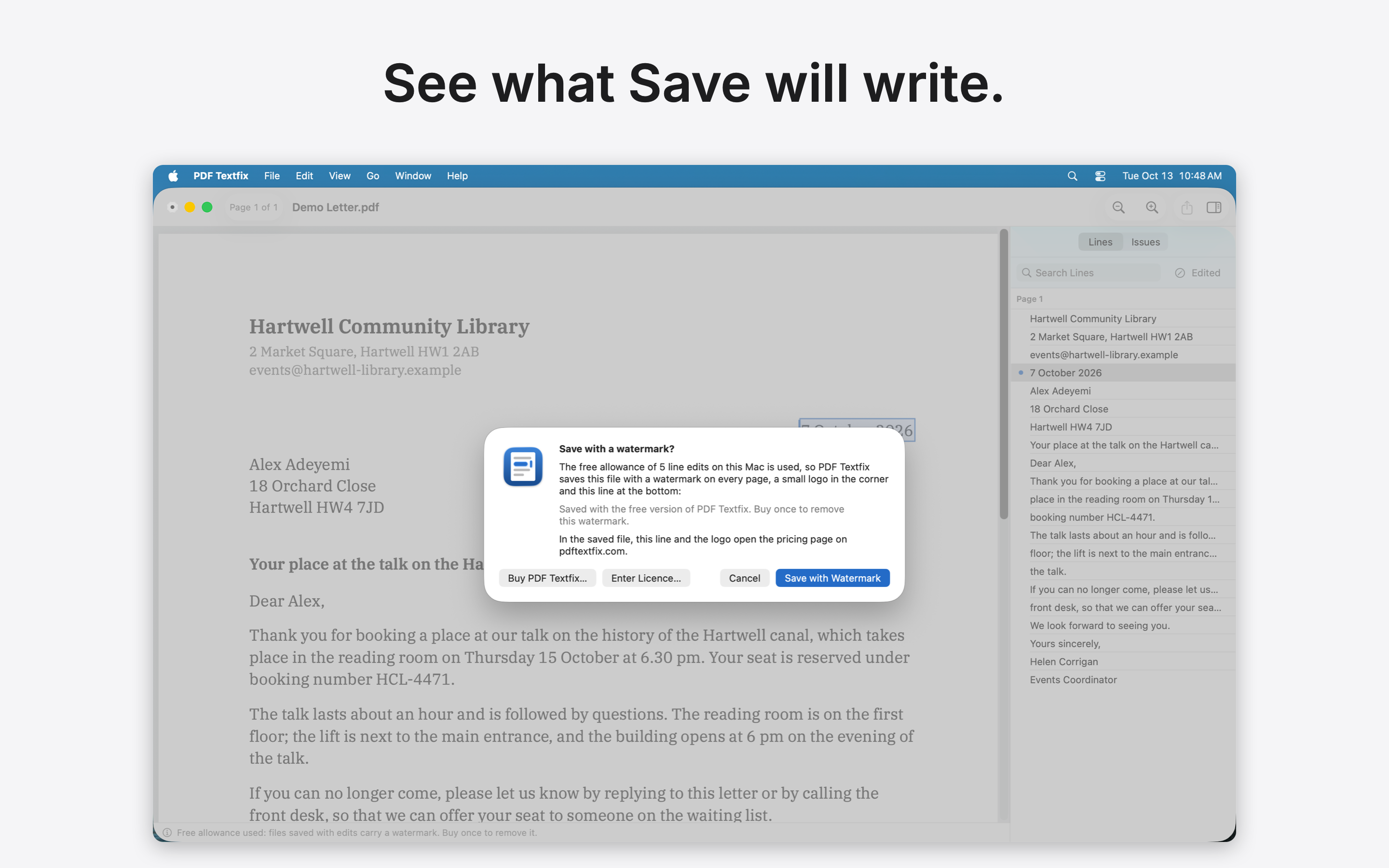
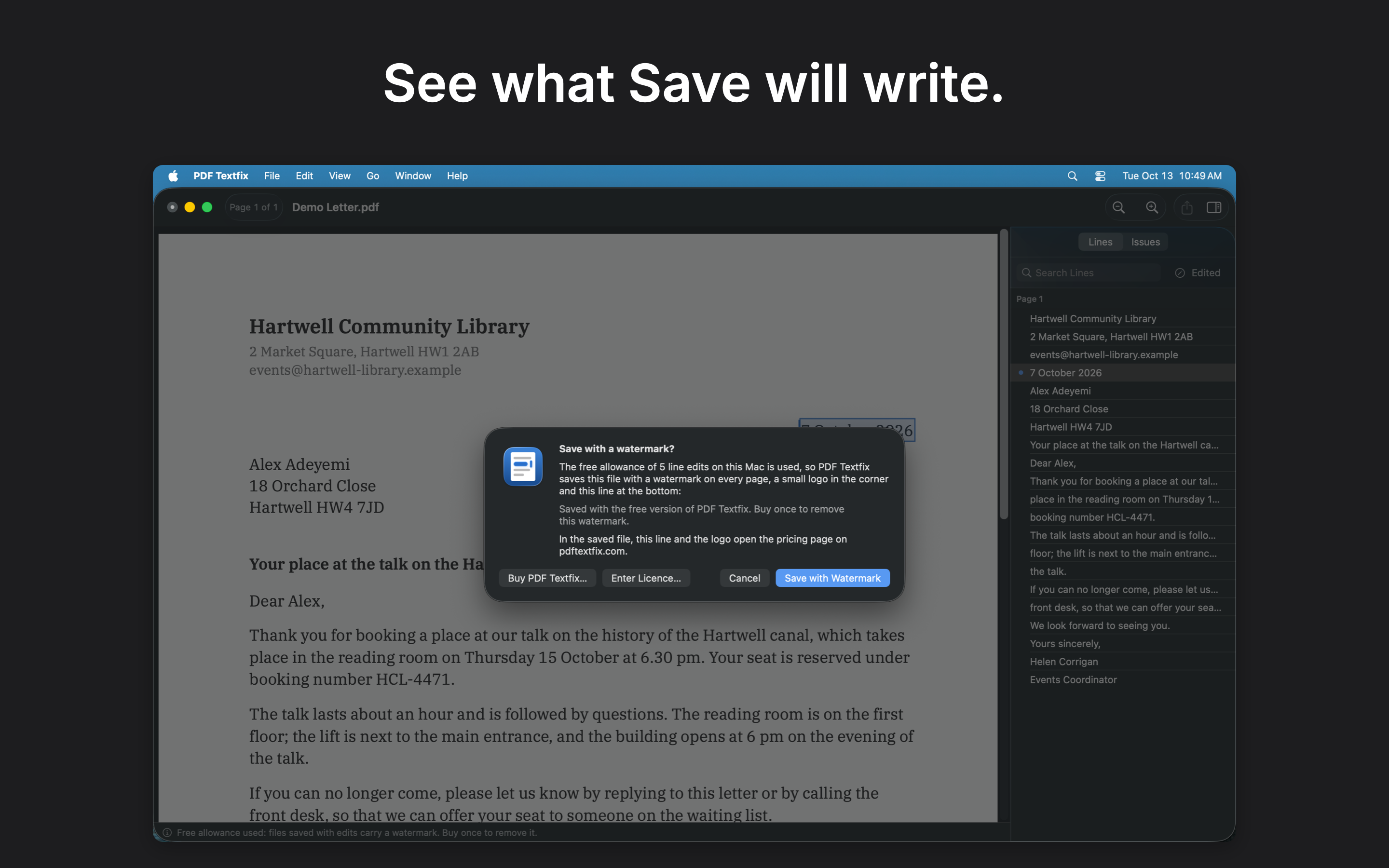
 04 · What Save writes · Light
See what Save will write.
Download 04 · What Save writes · Light, screenshot: PNG 786 KB Download 04 · What Save writes · Light, screenshot: PNG with caption 834 KB
-
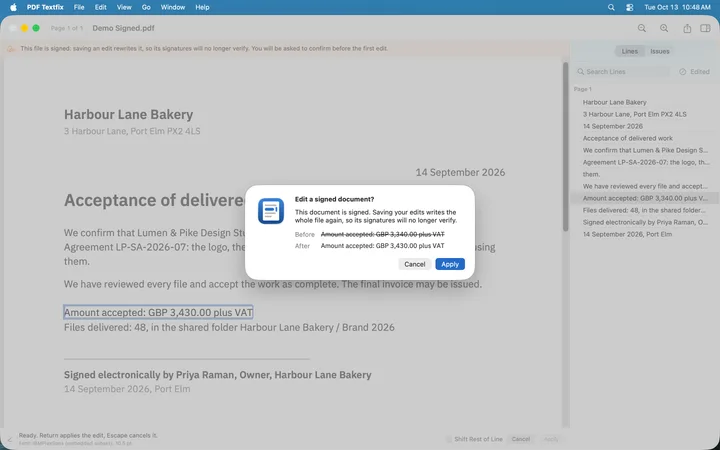 (open at full size)
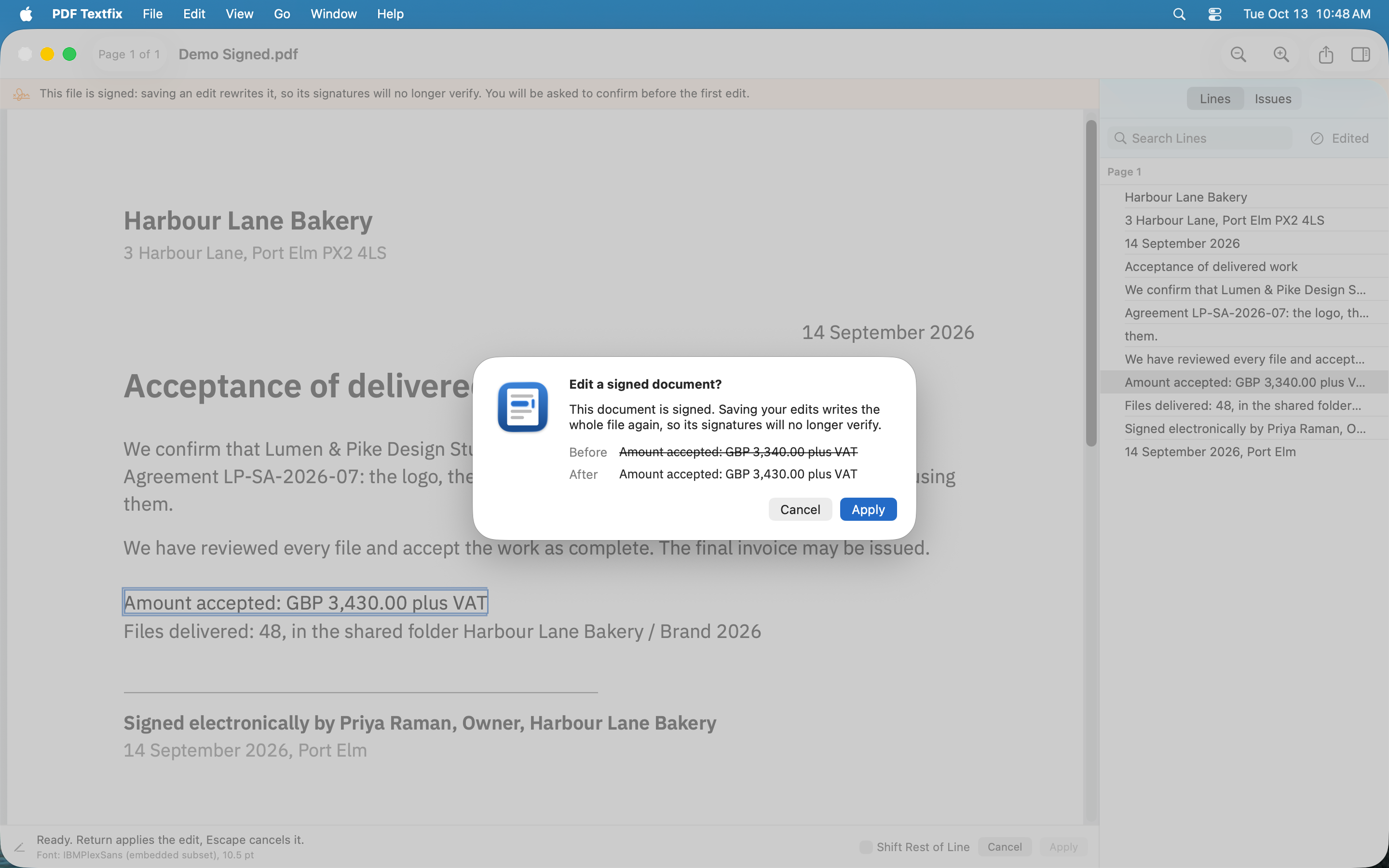
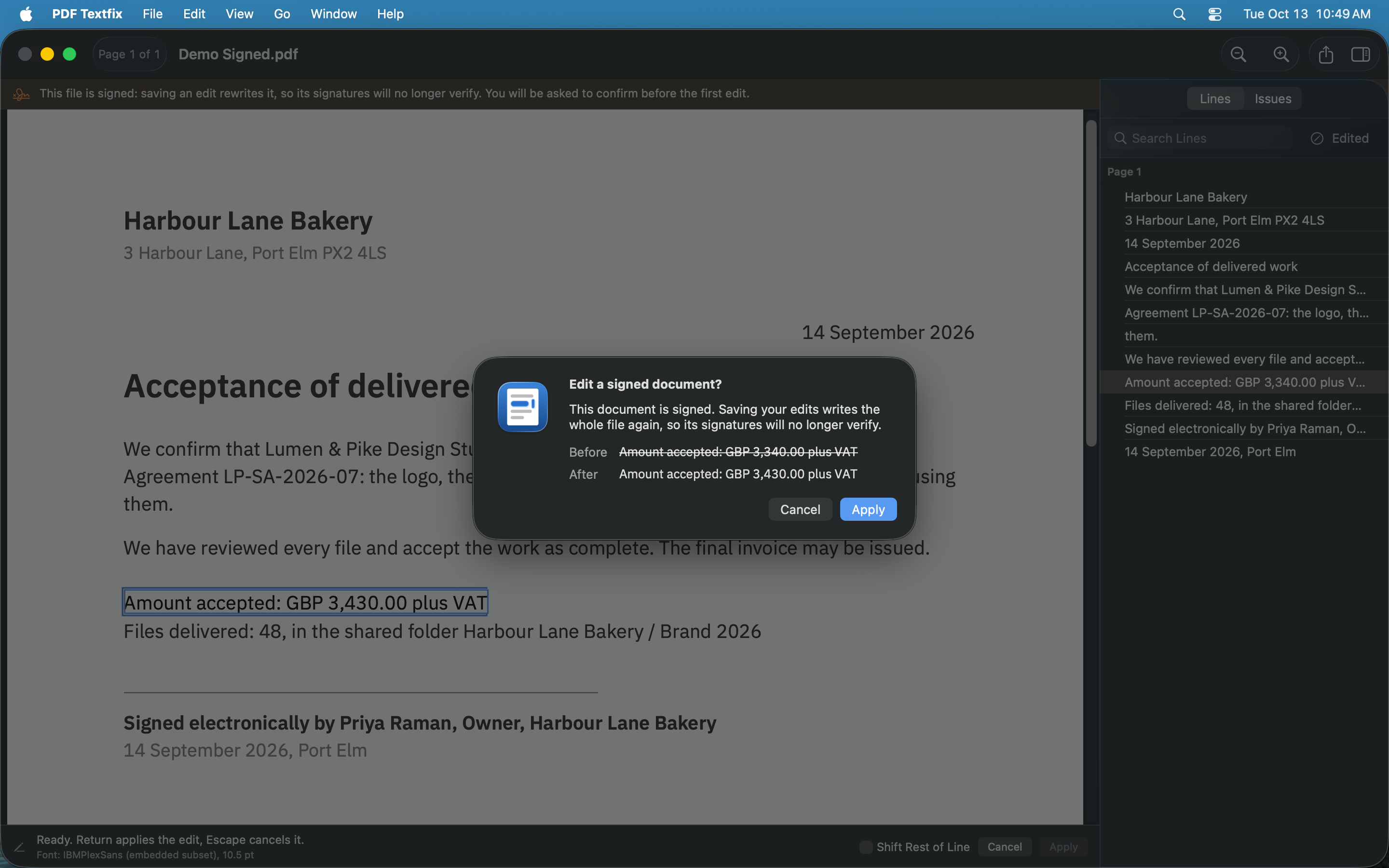
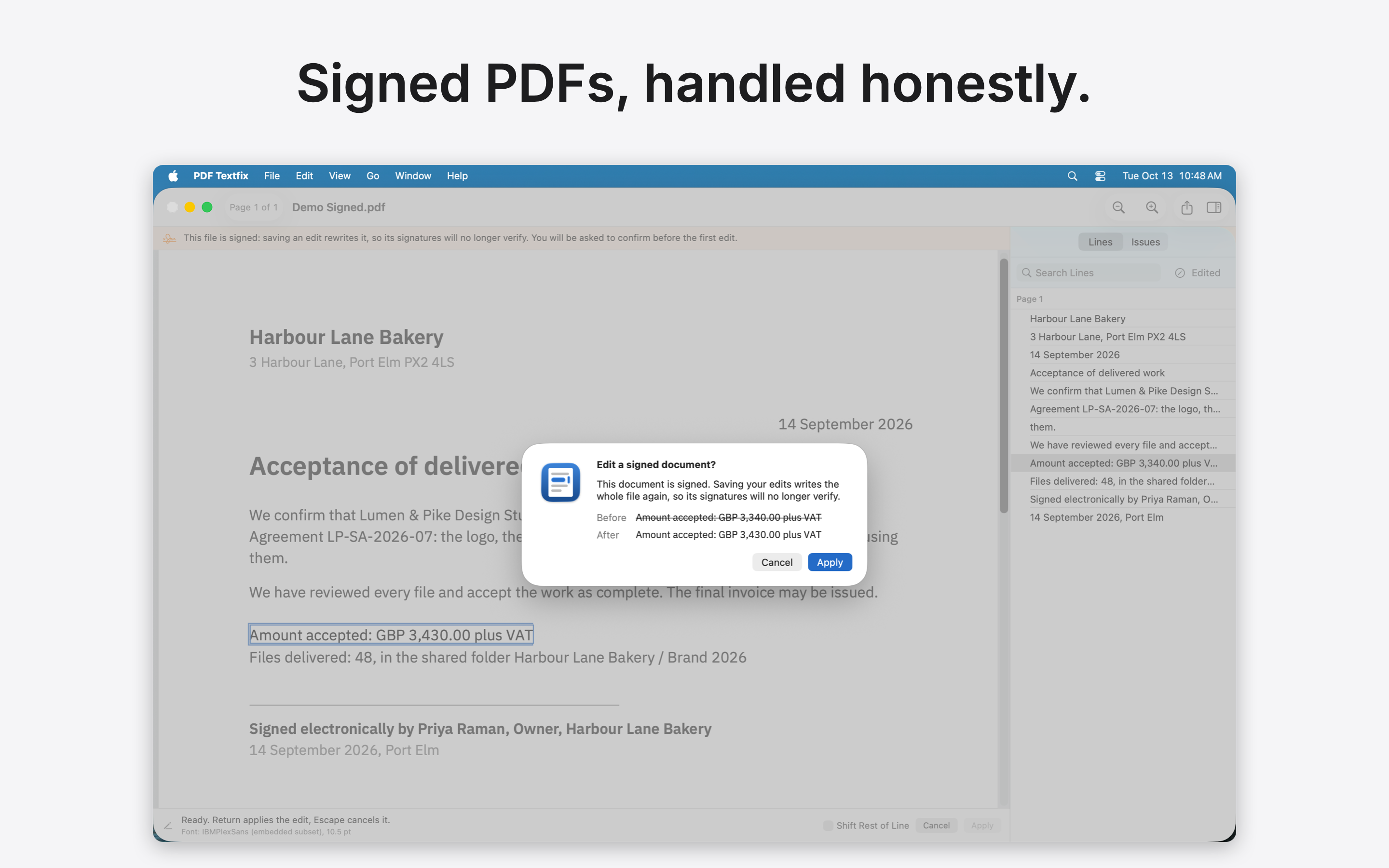
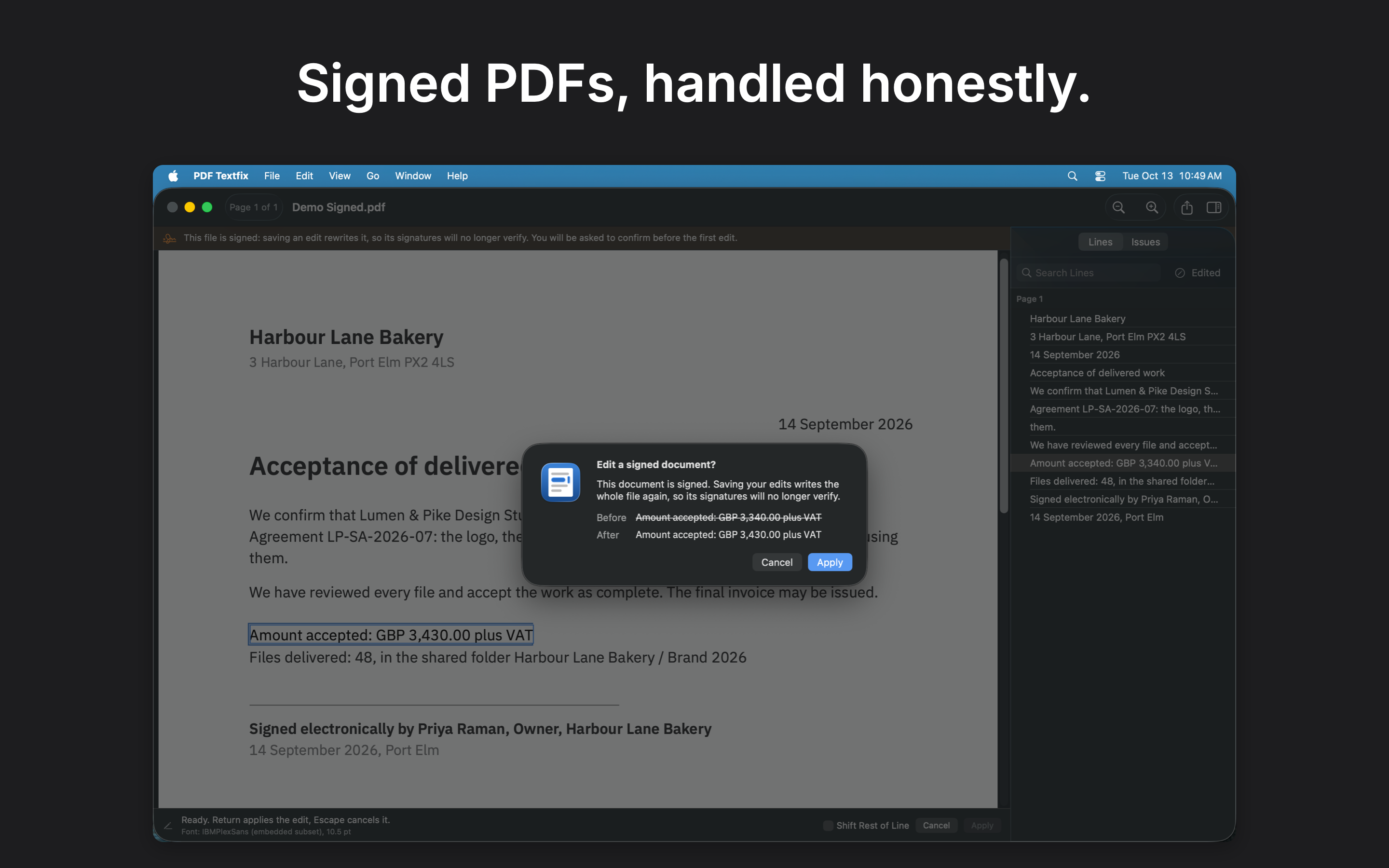
 05 · Signed, honestly · Light
Signed PDFs, handled honestly.
Download 05 · Signed, honestly · Light, screenshot: PNG 680 KB Download 05 · Signed, honestly · Light, screenshot: PNG with caption 697 KB
-
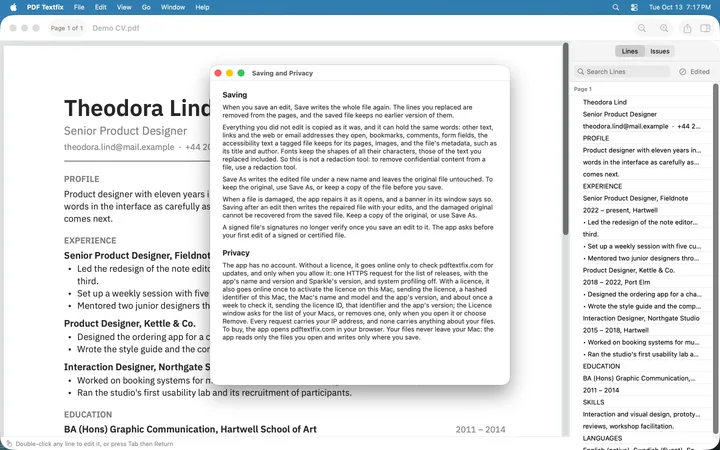 (open at full size)
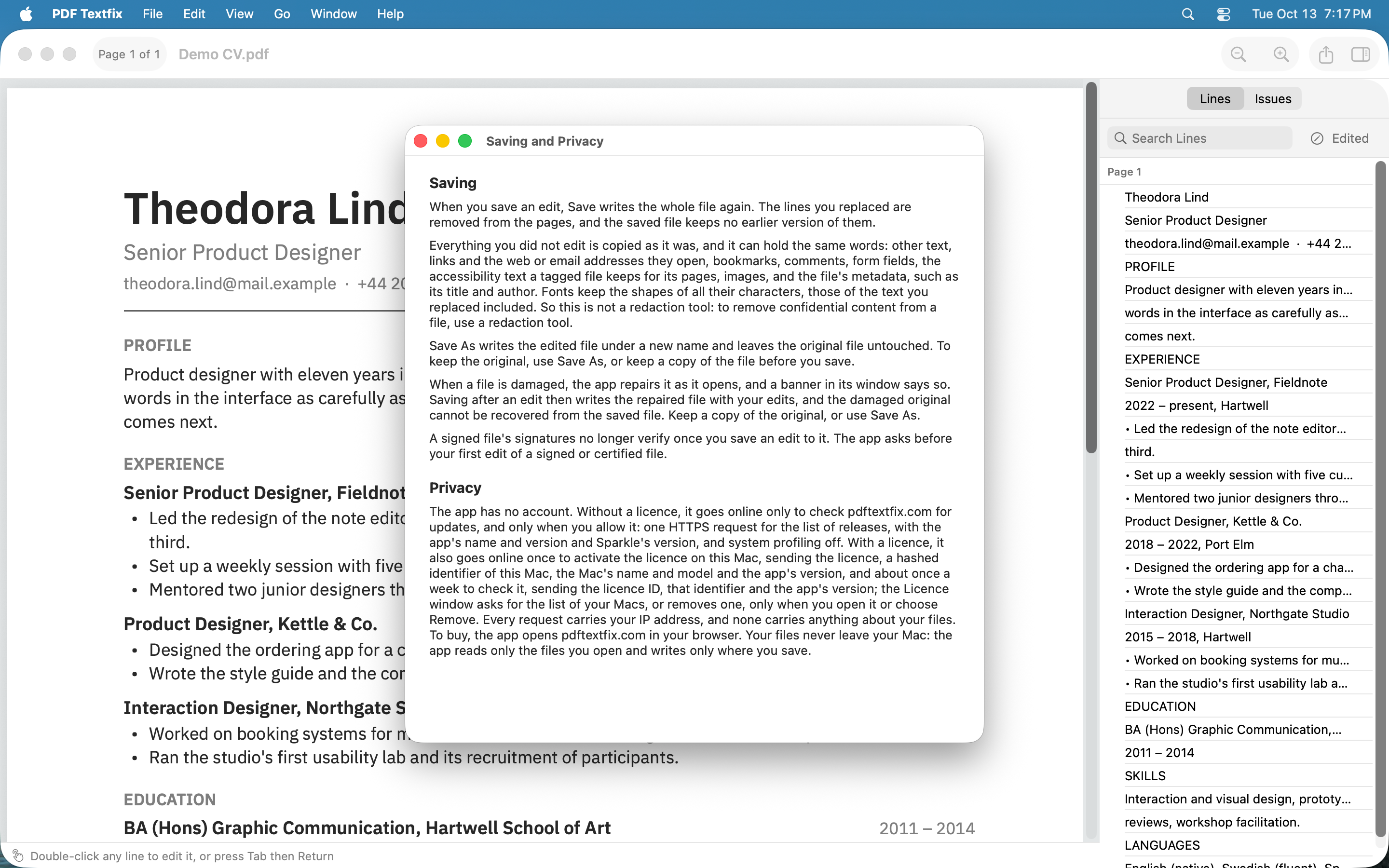
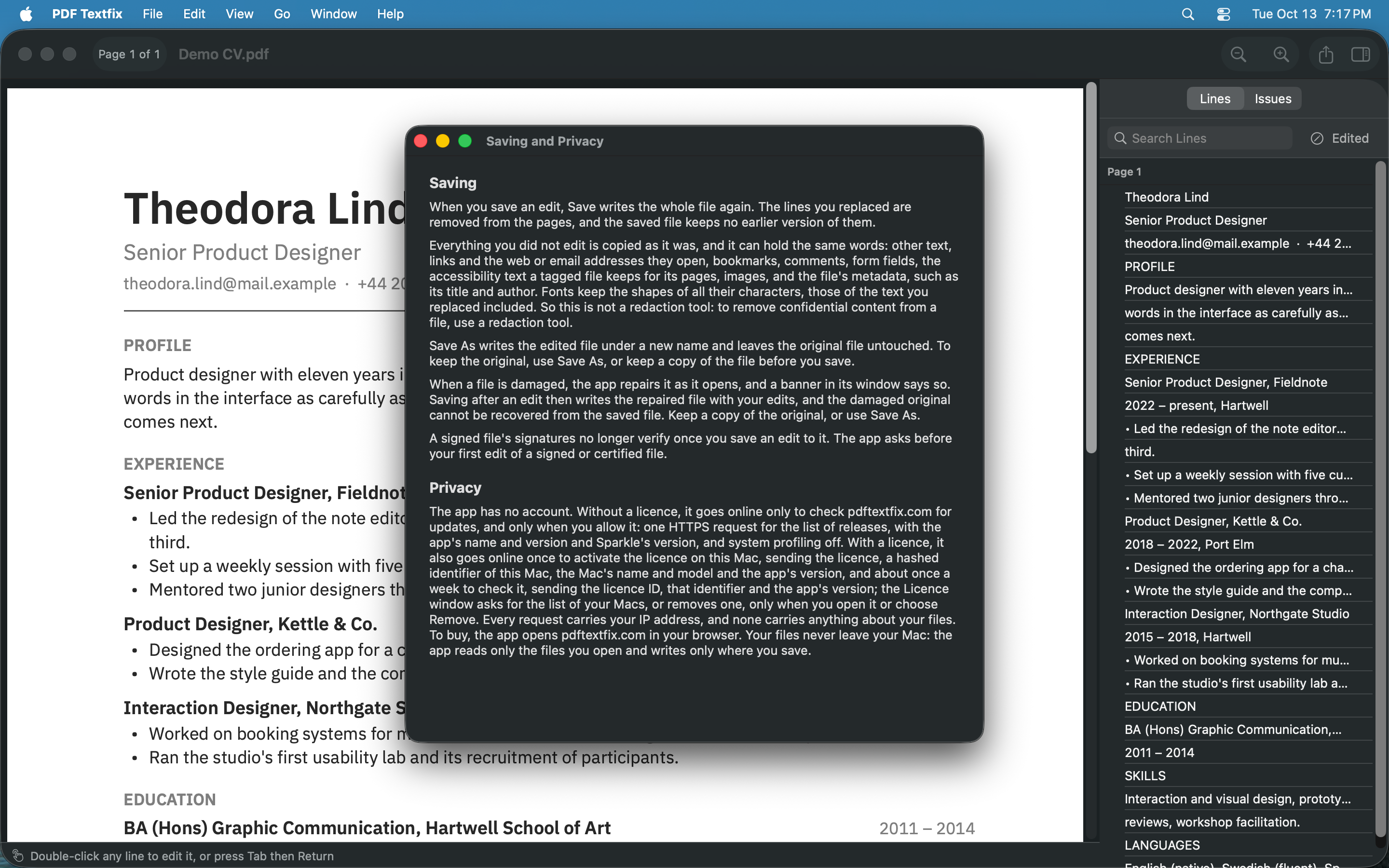
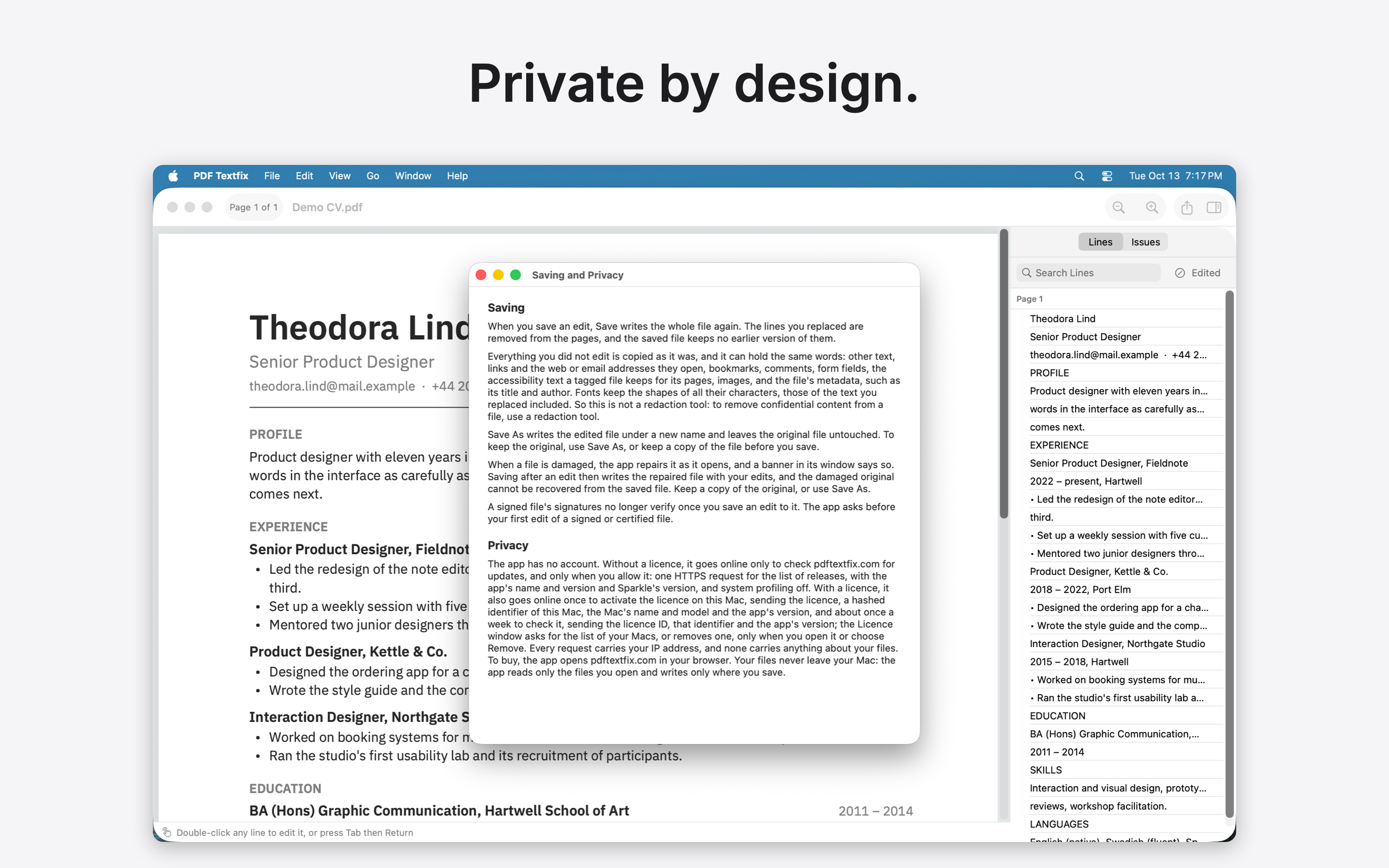
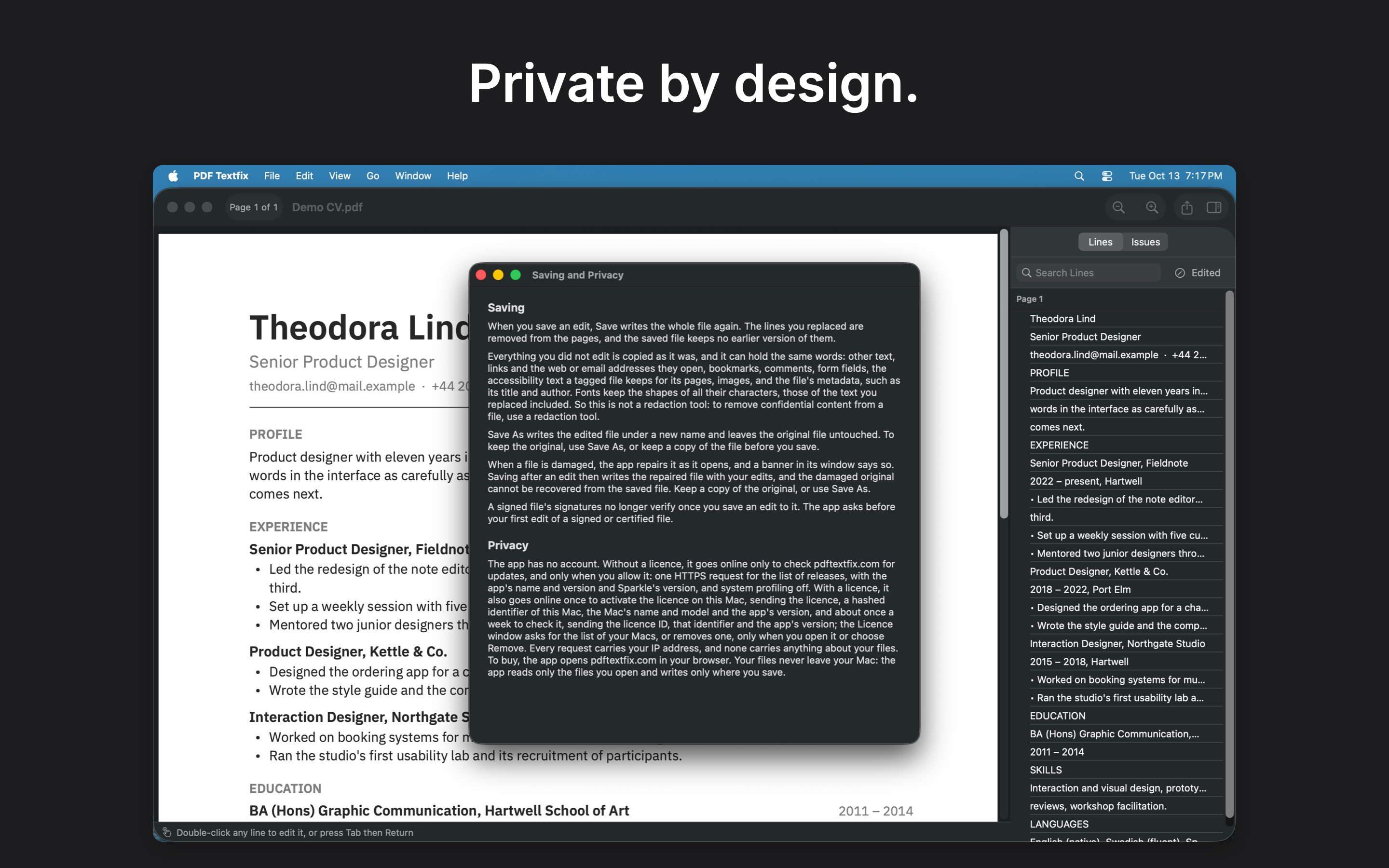
 06 · Private by design · Light
Private by design.
Download 06 · Private by design · Light, screenshot: PNG 1.1 MB Download 06 · Private by design · Light, screenshot: PNG with caption 1.2 MB
-
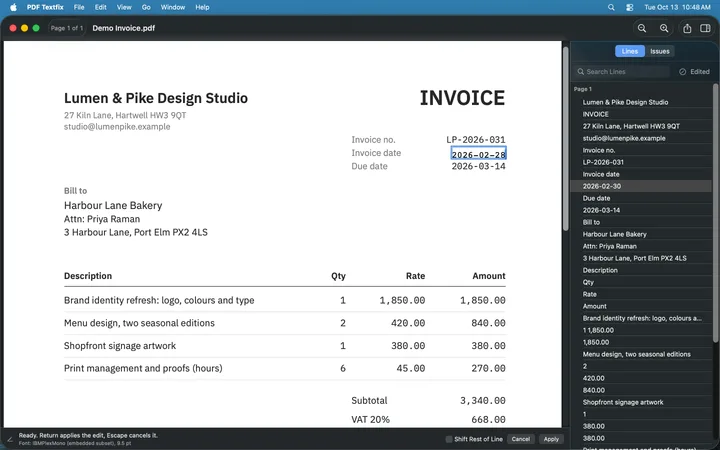 (open at full size)
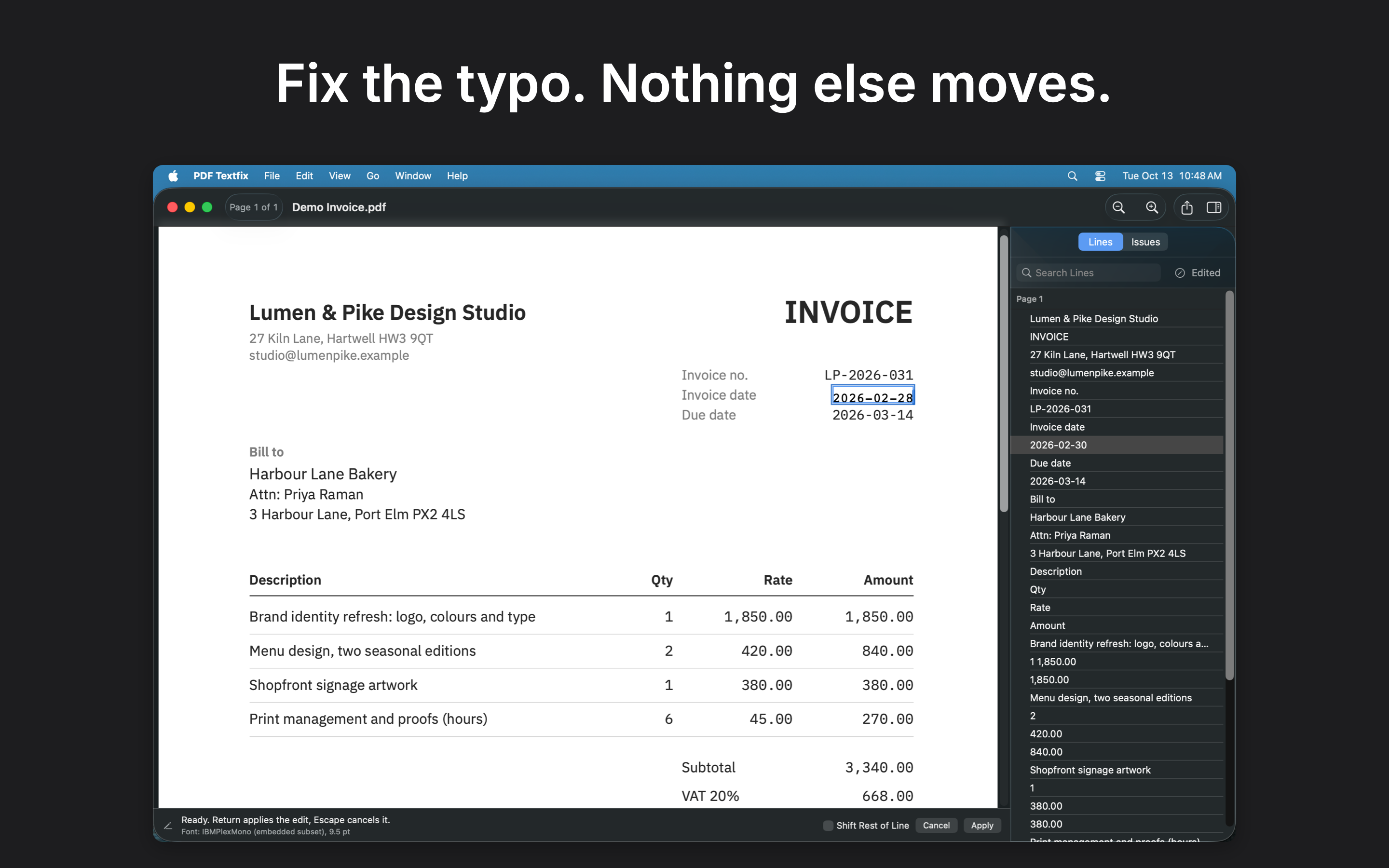
 01 · Fix the date · Dark
Fix the typo. Nothing else moves.
Download 01 · Fix the date · Dark, screenshot: PNG 611 KB Download 01 · Fix the date · Dark, screenshot: PNG with caption 691 KB
-
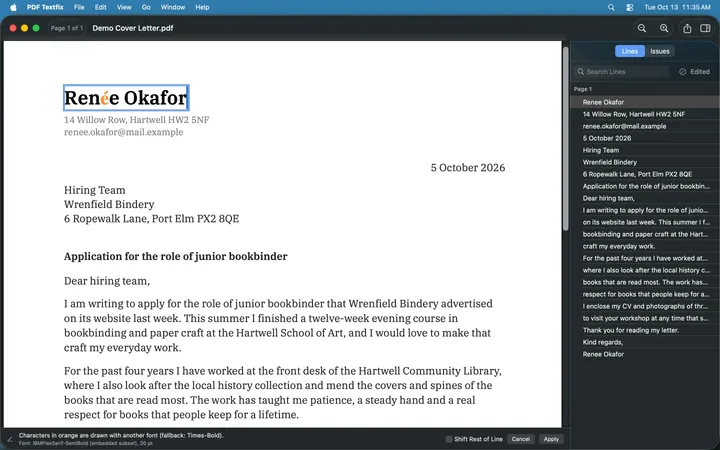 (open at full size)
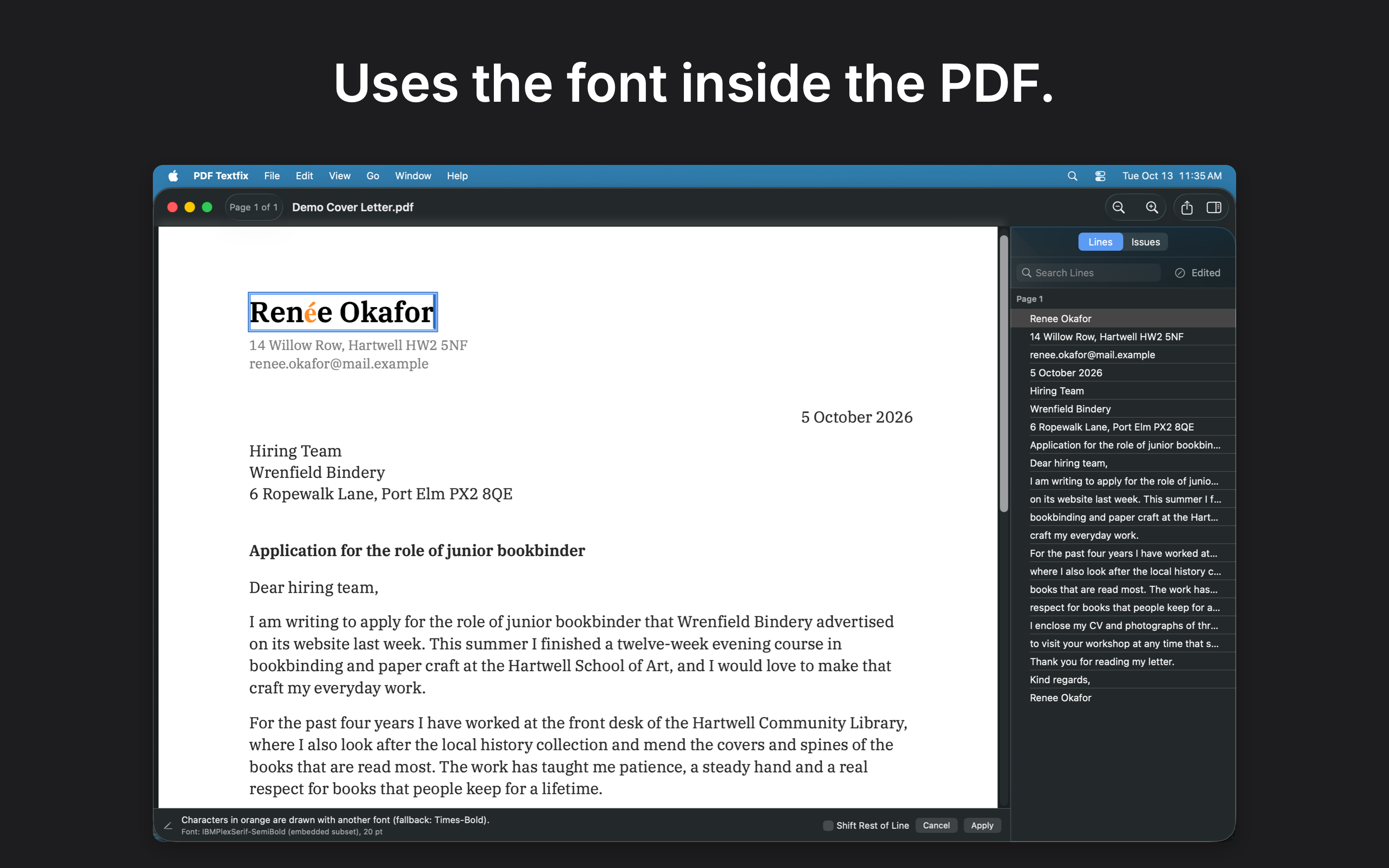
 02 · Same font · Dark
Uses the font inside the PDF.
Download 02 · Same font · Dark, screenshot: PNG 683 KB Download 02 · Same font · Dark, screenshot: PNG with caption 857 KB
-
 (open at full size)
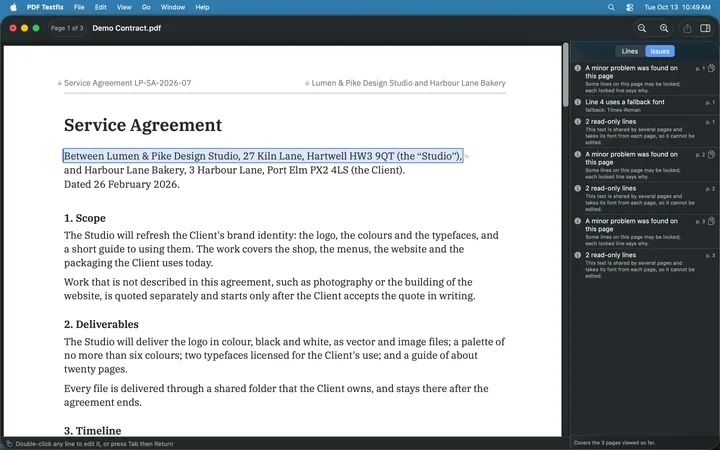
 03 · Every edit checked · Dark
Every edit is checked.
Download 03 · Every edit checked · Dark, screenshot: PNG 692 KB Download 03 · Every edit checked · Dark, screenshot: PNG with caption 868 KB
-
 (open at full size)
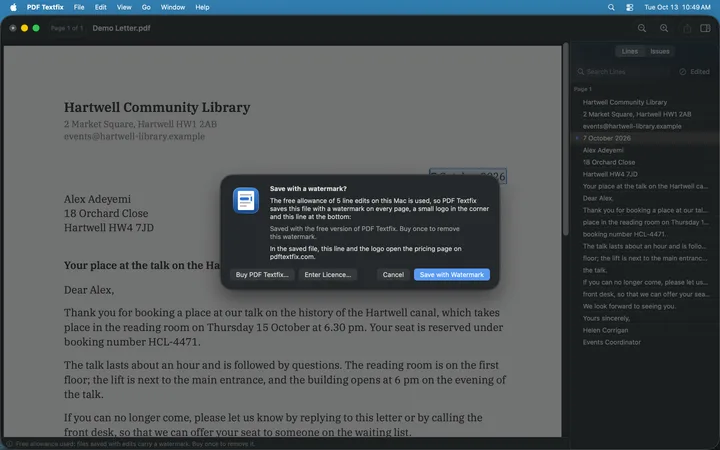
 04 · What Save writes · Dark
See what Save will write.
Download 04 · What Save writes · Dark, screenshot: PNG 821 KB Download 04 · What Save writes · Dark, screenshot: PNG with caption 1.0 MB
-
 (open at full size)
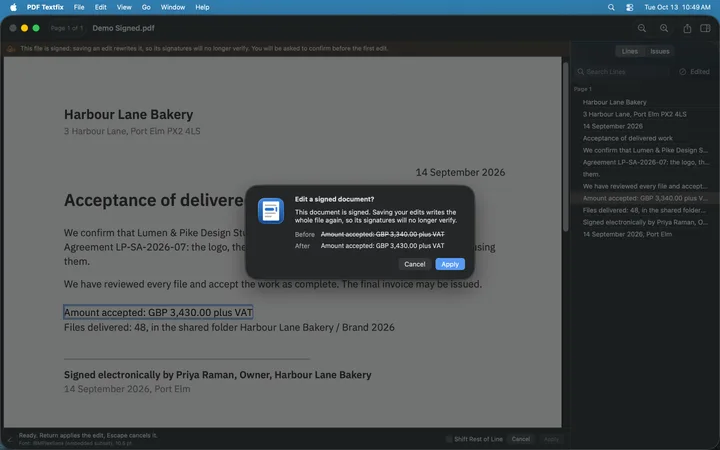
 05 · Signed, honestly · Dark
Signed PDFs, handled honestly.
Download 05 · Signed, honestly · Dark, screenshot: PNG 716 KB Download 05 · Signed, honestly · Dark, screenshot: PNG with caption 814 KB
-
 (open at full size)
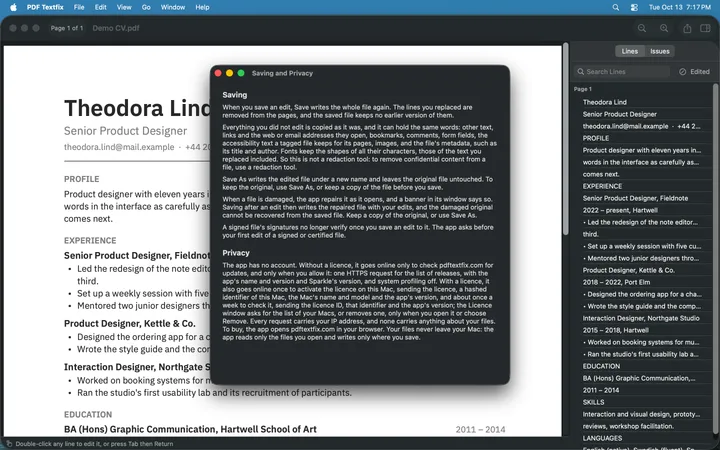
 06 · Private by design · Dark
Private by design.
Download 06 · Private by design · Dark, screenshot: PNG 1.2 MB Download 06 · Private by design · Dark, screenshot: PNG with caption 1.6 MB
Original PNGs, without device frames, captured from the app on macOS 26 at 2880 × 1800 pixels; every document in them was invented for them. Select an image to preview it at full size.
Videos
-
Overview · Light
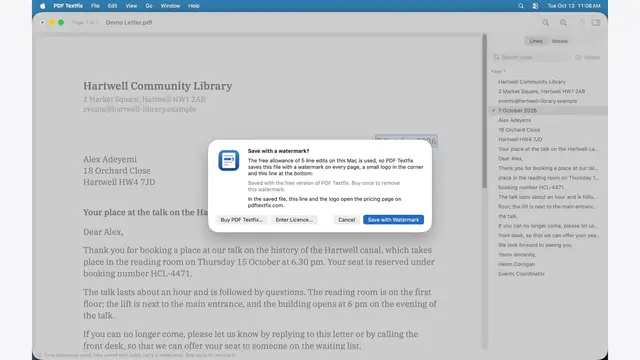
Three scenes in one take, in the light appearance: Fix the typo. Nothing else moves. Every edit is checked. See what Save will write.
Download Overview · Light, captioned video: MP4 · 1920 × 1080 1.5 MB Download Overview · Light, captioned video: MP4 · 2880 × 1800 2.8 MB
-
01 · Fix the date · Light
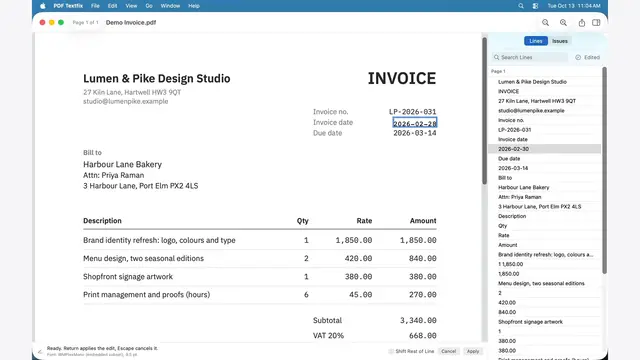
The demo invoice’s impossible date, 2026-02-30, corrected to 2026-02-28 in the editor over the line, in the invoice’s own monospaced font.
Download 01 · Fix the date · Light, captioned video: MP4 · 1920 × 1080 125 KB Download 01 · Fix the date · Light, captioned video: MP4 · 2880 × 1800 242 KB
-
01 · Fix the date · Dark
The demo invoice’s impossible date, 2026-02-30, corrected to 2026-02-28 in the editor over the line, in the invoice’s own monospaced font.
Download 01 · Fix the date · Dark, captioned video: MP4 · 1920 × 1080 127 KB Download 01 · Fix the date · Dark, captioned video: MP4 · 2880 × 1800 252 KB
-
02 · Same font · Light
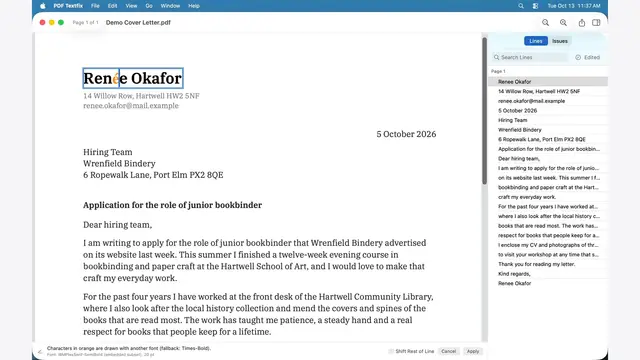
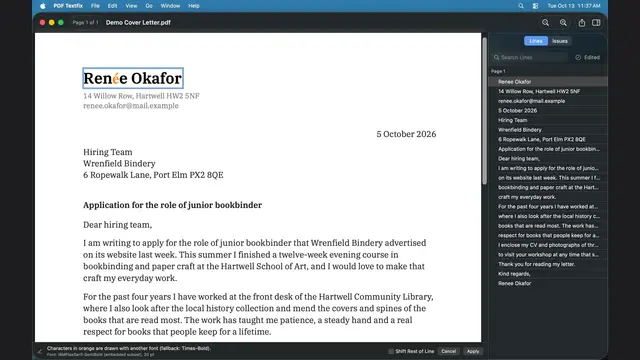
Her cover letter’s font has no é, so a fallback font draws it, marked in orange; the bar under the page names that font.
Download 02 · Same font · Light, captioned video: MP4 · 1920 × 1080 169 KB Download 02 · Same font · Light, captioned video: MP4 · 2880 × 1800 316 KB
-
02 · Same font · Dark
Her cover letter’s font has no é, so a fallback font draws it, marked in orange; the bar under the page names that font.
Download 02 · Same font · Dark, captioned video: MP4 · 1920 × 1080 172 KB Download 02 · Same font · Dark, captioned video: MP4 · 2880 × 1800 330 KB
-
03 · Every edit checked · Light
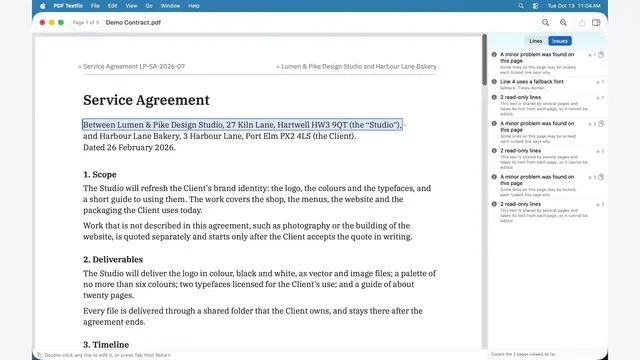
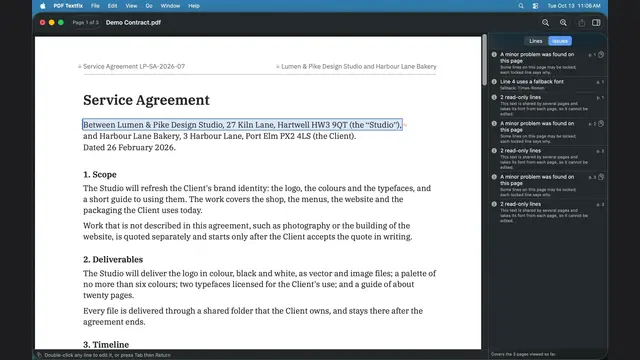
The Issues pane lists a line partly drawn with a fallback font, and the running header’s lines, locked because one part of the file draws them on every page.
Download 03 · Every edit checked · Light, captioned video: MP4 · 1920 × 1080 676 KB Download 03 · Every edit checked · Light, captioned video: MP4 · 2880 × 1800 1.3 MB
-
03 · Every edit checked · Dark
The Issues pane lists a line partly drawn with a fallback font, and the running header’s lines, locked because one part of the file draws them on every page.
Download 03 · Every edit checked · Dark, captioned video: MP4 · 1920 × 1080 648 KB Download 03 · Every edit checked · Dark, captioned video: MP4 · 2880 × 1800 1.2 MB
-
04 · What Save writes · Light
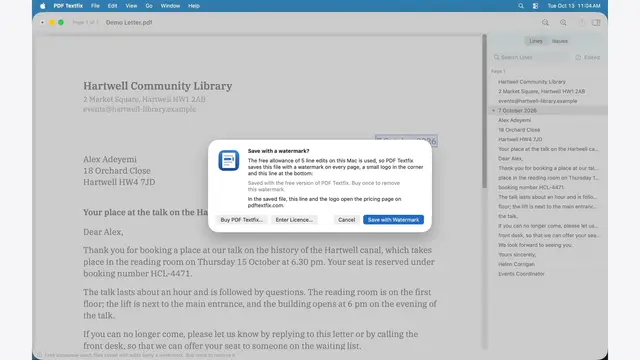
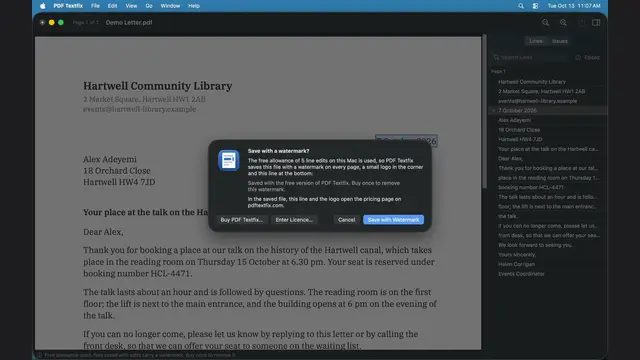
Once the free allowance of 5 line edits is used, the sheet before saving names the small logo in the corner, quotes the watermark line the file will carry and says the line and the logo open the pricing page on pdftextfix.com.
Download 04 · What Save writes · Light, captioned video: MP4 · 1920 × 1080 644 KB Download 04 · What Save writes · Light, captioned video: MP4 · 2880 × 1800 1.2 MB
-
04 · What Save writes · Dark
Once the free allowance of 5 line edits is used, the sheet before saving names the small logo in the corner, quotes the watermark line the file will carry and says the line and the logo open the pricing page on pdftextfix.com.
Download 04 · What Save writes · Dark, captioned video: MP4 · 1920 × 1080 474 KB Download 04 · What Save writes · Dark, captioned video: MP4 · 2880 × 1800 919 KB
-
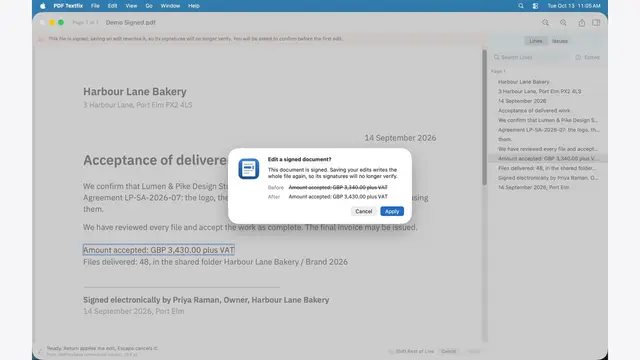
05 · Signed, honestly · Light
Before the first edit of a signed document is applied, the app says that saving rewrites the file, so its signatures will no longer verify, and shows the line before and after.
Download 05 · Signed, honestly · Light, captioned video: MP4 · 1920 × 1080 433 KB Download 05 · Signed, honestly · Light, captioned video: MP4 · 2880 × 1800 831 KB
-
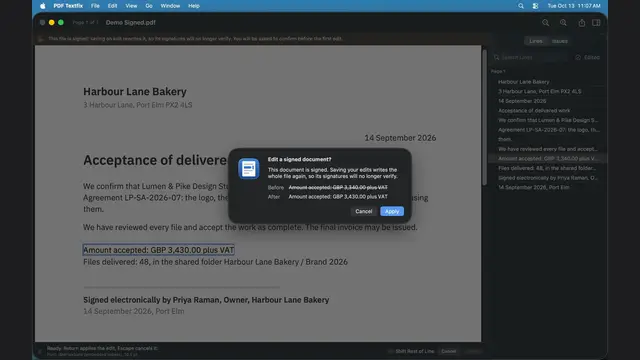
05 · Signed, honestly · Dark
Before the first edit of a signed document is applied, the app says that saving rewrites the file, so its signatures will no longer verify, and shows the line before and after.
Download 05 · Signed, honestly · Dark, captioned video: MP4 · 1920 × 1080 328 KB Download 05 · Signed, honestly · Dark, captioned video: MP4 · 2880 × 1800 636 KB
-
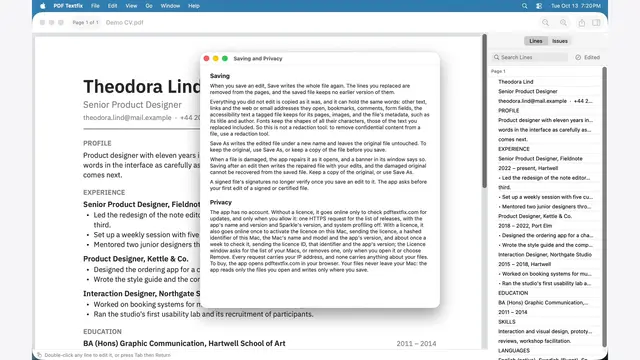
06 · Private by design · Light
Help > Saving and Privacy says what Save writes, what a saved file can still hold, and what the app sends over the network.
Download 06 · Private by design · Light, captioned video: MP4 · 1920 × 1080 340 KB Download 06 · Private by design · Light, captioned video: MP4 · 2880 × 1800 651 KB
-
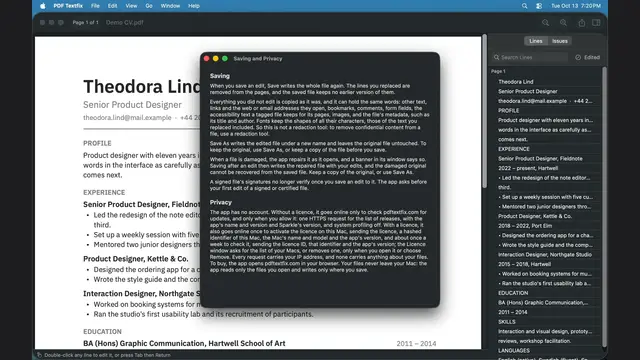
06 · Private by design · Dark
Help > Saving and Privacy says what Save writes, what a saved file can still hold, and what the app sends over the network.
Download 06 · Private by design · Dark, captioned video: MP4 · 1920 × 1080 370 KB Download 06 · Private by design · Dark, captioned video: MP4 · 2880 × 1800 704 KB
Silent screen recordings of the app on macOS 26, on the demo documents, with the scene’s caption under the picture. Select a video to play it. The videos ZIP holds every clip above at 1920 × 1080 and the overview at 2880 × 1800, the clean clips at 1920 × 1080, the posters of the captioned clips and the creator notes.
For creators
Clean clips for your own narration: the same recordings with no caption and no sound. The 16:9 clip fits the Mac’s 16:10 screen by its height, with plain side bars; nothing is cropped. The notes say what each clip shows, the facts you may state and what not to imply.
Download the notes for creators: Creator notes · TXT 7 KB
-
Overview · Light
-
01 · Fix the date · Light
-

01 · Fix the date · Dark
-
02 · Same font · Light
-
02 · Same font · Dark
-
03 · Every edit checked · Light
-
03 · Every edit checked · Dark
-
04 · What Save writes · Light
-
04 · What Save writes · Dark
-
05 · Signed, honestly · Light
-
05 · Signed, honestly · Dark
-
06 · Private by design · Light
-
06 · Private by design · Dark
Demo documents
The six documents the screenshots and videos show, invented for PDF Textfix: no name, address or number in them belongs to anyone. Test the app on them and make the same edits; each file’s SHA-256 is below and in the kit’s SHA256SUMS.
-
Demo Invoice.pdf
An invoice from a design studio to a bakery, dated 2026-02-30, a day that does not exist: the first thing to fix.
Download Demo Invoice.pdf: PDF 64 KBSHA-256 057672a697858359c9fd78375bfb842f06dfc9f0144226d7c4891e4be1c56dd4 -
Demo CV.pdf
A designer’s CV: dense lines in two weights of one typeface.
Download Demo CV.pdf: PDF 46 KBSHA-256 df03b7592d40cff7d040366d9e5558ac7c84b7019efb093c51f16f3e393d578a -
Demo Letter.pdf
A library’s letter confirming a booking: a plain page of running text.
Download Demo Letter.pdf: PDF 45 KBSHA-256 d320e1e2bbfc6ef9ccca54df2198a6c1472bb6e25d59ebcf1dc85eb978b3fad2 -
Demo Contract.pdf
A three-page service agreement whose running header is shared by every page, so its lines stay locked while the body is editable.
Download Demo Contract.pdf: PDF 34 KBSHA-256 1415c94191652a0a2e8c7aa142460a0d17561ea21a7d0a3d90c4f32fc1f0a178 -
Demo Cover Letter.pdf
A job applicant’s own cover letter whose embedded fonts lack “é”, so correcting her name to “Renée Okafor” brings in a fallback font for that one letter, marked in orange.
Download Demo Cover Letter.pdf: PDF 18 KBSHA-256 76b6c861e0e58723fb5600d326af5bbe0107e6ebe0513b89377be5634bf495d6 -
Demo Signed.pdf
An acceptance note with a byte-range signature over the whole file, made without a certificate: the app asks before the first edit.
Download Demo Signed.pdf: PDF 48 KBSHA-256 94a16af1b038dc49a1cb88b272437662603c4bffb361ae6d36d961ec2d585045
Brand assets
-
App icon · Full color
Download App icon · Full color: PNG 158 KB Download App icon · Full color: SVG 2 KB Download App icon · Full color: SVG master 1 KB
-
App icon · Dark
Download App icon · Dark: PNG 158 KB Download App icon · Dark: SVG 2 KB Download App icon · Dark: SVG master 1 KB
-
App icon · One color
-

Wordmark · For light backgrounds
Download Wordmark · For light backgrounds: SVG 3 KB Download Wordmark · For light backgrounds: PNG 14 KB
-

Wordmark · For dark backgrounds
Download Wordmark · For dark backgrounds: SVG 3 KB Download Wordmark · For dark backgrounds: PNG 11 KB
-

Wordmark · One color
Download Wordmark · One color: SVG 3 KB Download Wordmark · One color: PNG 10 KB
-
Icon and name · For light backgrounds
Download Icon and name · For light backgrounds: SVG 4 KB Download Icon and name · For light backgrounds: PNG 43 KB
-
Icon and name · For dark backgrounds
Download Icon and name · For dark backgrounds: SVG 4 KB Download Icon and name · For dark backgrounds: PNG 40 KB
-
Icon and name · One color
Download Icon and name · One color: SVG 4 KB Download Icon and name · One color: PNG 19 KB
-
Open Graph card
-
Open Graph card · Dark




Colors
- Brand Blue
#246BC7Light: Accent and text caret; the fixed line in the icon; middle of the icon field. Dark: Not the accent; middle of the light icon field only. - Brand Blue Dark
#5899F2Light: Not used. Dark: Accent and text caret on dark surfaces. - Ink
#1D1D1FLight: Text and wordmark; the icon's text bars at 30 %. Dark: Dark app background. - Paper
#FFFFFFLight: The page in the icon; the document canvas. Dark: Text and wordmark on dark. - Mist
#F5F5F7Light: Window chrome and sidebars. Dark: The page in the Dark icon at 90 % (reads #E2E4E9).
Orange and red are never brand colors: in the app they mark a fallback font and a character no font can draw.
Download the brand colors: Colors · TXT 1 KB
Type
- The wordmark is Inter SemiBold converted to outlines, shipped as artwork: use the files, not a font.
- Text baked into the cards is Inter Regular, also converted to outlines.
- The app uses the system font of macOS; the website uses the system font stack. Neither bundles a font.
- Inter 4.1 is under the SIL Open Font License 1.1.
Questions journalists ask
Download the questions journalists ask: Questions · TXT 5 KBWho is PDF Textfix for?
People who need to correct their own documents: an invoice they issued with the wrong date, a typo in their CV, a name in a letter or a contract draft they wrote, when the PDF is the copy they have. It changes text that is already in the PDF, one line at a time.
How is it different from other PDF editors?
It writes the new text with the line's own font, so the line keeps its look. When that font lacks a character you type, PDF Textfix takes it from another copy of the same font in the file, then from the same font on the Mac, then from the closest standard font, and marks that character while you type. It checks every edit before it applies it: every other character on the page must stay where it was. When a longer word would run into the text after it, the rest of the line moves to make room and the editor says so; when nothing can make room, PDF Textfix refuses the edit and says why. And it removes the text you replaced from the page instead of covering it up.
What does the saved file still hold?
When you save an edit, PDF Textfix writes the whole file again as one version, and adds nothing to the end of the old file. The lines you replaced are removed from the pages, and the saved file keeps no earlier version of them. Everything you did not edit is copied as it was, and it can hold the same words: links and the addresses they open, bookmarks, comments, form fields, the accessibility text of a tagged file, images and the file's properties, such as its title and author. Fonts keep the shapes of all their characters. Help > Saving and Privacy in the app says the same.
Is it a redaction tool?
No. The same words can remain outside the pages, as the answer above says, so PDF Textfix is not a way to remove confidential content from a file. Use a redaction tool for that.
Does the file grow when I save?
Not with the history of your edits. The saved file holds one version, without earlier ones, and PDF Textfix drops the parts of the file nothing uses any more, so a file can even get smaller. It gains a font when a character you typed was not in the line's own font. In the free version, the watermark adds its text, a small logo and its links to every page; a file whose pages share many fonts and images can grow much larger with it, and returns to its size once the unlocked app saves it without the watermark.
What happens to a signed PDF?
PDF Textfix asks before your first edit and says that the signatures will no longer verify once the file is saved, because saving writes the whole file again. Certified documents that allow no changes stay locked until you choose to allow editing.
What can't it do?
It does not add text boxes, reflow paragraphs, or change fonts or sizes. It does not edit scanned pages, since the text of a scan is a picture, and it does not fill forms or redact. Encrypted files and files whose permissions forbid changes open view only. Some text stays locked, and the line says why: fonts made of pictures, the hidden text layer of a scan, vertical text, right-to-left and joined scripts, Chinese, Japanese and Korean encodings, form fields and comments.
How does the free version work?
On each Mac, the first 5 line edits save without any mark. After that, PDF Textfix still saves your edits, with a watermark on every page of the saved file, until you buy once. Once bought, it saves without the watermark and also removes it from files saved with it. The sample documents in the Help menu never count and are never watermarked.
How much does it cost?
One purchase, no subscription: US$29.99 as an in-app purchase in the Mac App Store, which Family Sharing can share, or US$29 from pdftextfix.com, which sends a licence by email, active on 3 Macs at a time. The website's pricing page lists the price in each region.
Are my documents sent anywhere?
No. Neither version has an account, and your files never leave your Mac. PDF Textfix reads only the files you open and writes only where you save. The Mac App Store version goes online only when you buy or restore, to confirm the purchase with RevenueCat and, until you quit the app, a few times more to keep that confirmation current. The version from pdftextfix.com checks for updates only when you allow it: one HTTPS request that, like every web request, carries the IP address, and names the app, its version and the version of the updater. With a licence, it also activates the licence online once on each Mac, sending the licence, a hashed identifier of the Mac, the Mac's name and model and the app's version, and checks it about once a week when the Mac is online, sending the licence ID, that identifier and the app's version. Nothing about your documents leaves the Mac.
Why only Apple silicon and macOS 26?
Version 1.0 is built and tested for Macs with Apple silicon running macOS 26 or later. Intel Macs are not supported.
Press contact
Pocket Implementation S.R.L., Bucharest, Romania.
Press: contact@pocketimplementation.com
Support: contact@pocketimplementation.com
Review copies
Write to contact@pocketimplementation.com from your publication's address, with “Press” in the subject, your name and the outlet you write for. We send the version from pdftextfix.com with a press licence, or, once PDF Textfix is in the Mac App Store, a one-time code that unlocks its in-app purchase.
Launch
PDF Textfix is not released yet; it is coming soon to the Mac App Store and as a direct download.
There is no embargo, and you may publish whenever your piece is ready. Until PDF Textfix is released, the review build and the codes we send are for your review.
Company facts, each with its public source: About and the legal notice. The pricing page lists the price in each region.
Using these assets
- Use these files for editorial coverage of PDF Textfix: articles, reviews, videos and podcasts about the app.
- Keep the branding intact: use the icon and the wordmark as supplied, and do not redraw, recolor, crop or add effects to them.
- Credit the app as PDF Textfix: two words, "PDF" in capitals, a capital T and a lowercase f.
- Do not imply that Pocket Implementation S.R.L. or PDF Textfix endorses your publication, product or service.
- The screenshots and videos show the app as it is, on documents invented for them; do not edit them to show something the app does not do.
- For any other use, or for a file the kit does not hold, write to contact@pocketimplementation.com with “Press” in the subject.
Download the usage terms: Usage · TXT 1 KB Download the company boilerplate: Boilerplate · TXT 1 KB
Updated . The ZIP has labeled folders for facts, brand assets, screenshots and demo documents; the videos ZIP holds the clips, their posters and the creator notes.
Download the kit’s read-me: Read me · TXT 2 KB Download the captions of the screenshots and videos: Captions · TXT 12 KB