
A script can replace text in a PDF only in a narrow sense, and the documentation of each tool says where the edge is. qpdf rewrites a file’s structure and, in its own words, “knows nothing about the semantics of PDF content streams”. mutool can expand a file so a person can edit it by hand. PyMuPDF replaces words by redacting them and writing new text in their place, but that text can use “Only CJK and the PDF Base 14 Fonts”, and may not land on the same line. pdf-lib says it “does not provide APIs for removing or editing text on a page outside of a form field”. PDF Textfix does the replacement in the line’s own font and checks the result. It is a Mac app with a window, not a command-line tool.
Why does a sed on a content stream break?
The obvious first try is to open the PDF in a text editor and replace the string. On many real files nothing matches, or the file stops opening afterward. There are five separate reasons, and a working tool has to handle all of them.
The streams are compressed. A page’s drawing instructions live in a content stream, usually Flate-compressed. grep sees binary data. You have to decompress first.
The file is full of byte offsets. The cross-reference table records where each object starts, and each stream records its length. Change the length of anything and those numbers are wrong. qpdf’s documentation gives the same two reasons why a PDF is hard to edit in a text editor: most of its meaningful data is compressed, and its offsets and lengths make it hard to add or remove anything. That is why QDF mode exists.
The text is not stored as text. The content stream shows glyph codes in the font’s own encoding. With a simple font, the codes may happen to match ASCII. With a composite (CID) font, each character is often a two-byte glyph ID, so three letters can look like <0012004A0051> in the stream. The pikepdf documentation warns that “it is perfectly legal for a font to specify no Unicode mapping at all, or to use an unconventional mapping (when a PDF contains a subsetted font for example).” The ToUnicode map is how a viewer turns codes back into text, when the file has one.
The font may not have your letters. An embedded subset font holds only the glyphs the document used. If the old line said “March” and you type “April”, the subset may not contain a capital A or the letters p, r and l. A viewer then draws nothing, or a box.
Widths decide positions. Each glyph advances the pen by its width, and lines are often set with TJ arrays that adjust spacing between characters. A replacement with different widths shifts the text that follows it in the same text object, and can run into the next column.
Here is what the demo invoice’s date looks like after qpdf 12.4.2 decompressed the page, on October 12, 2026. These are two lines of the output, exactly as written:
qpdf --qdf --object-streams=disable "Demo Invoice.pdf" invoice-qdf.pdfTf [ (In) 8 (v) 8 (oic) 6 (e dat) 4 (e) ] TJ ET 0.114 sc BT 9.5 0 0 9.5 474 716
Tm /TT3 1 Tf (2026-02-30) Tj ET 0.42 sc BT 9.5 0 0 9.5 368 702 Tm /TT2 1 TfThe date is the easy part. Its font, TT3, is the invoice’s IBM Plex Mono, embedded as a simple TrueType subset whose one-byte codes match the characters, so (2026-02-30) can be found and changed in a text editor. The label in front of it is not: “Invoice date” is stored as (In) 8 (v) 8 (oic) 6 (e dat) 4 (e), pieces with spacing adjustments between them, and a search of the decompressed file for the words finds nothing. Turning 30 into 28 by hand works on this line: changed with a text tool and run through fix-qdf on the same day, the file passed qpdf --check, and Poppler’s pdftotext read 2026-02-28. It works because the new text has the same length, the font is monospaced, and its subset already holds an 8. In a proportional font, a replacement of another width moves everything after it in the same text object. In a composite font, the codes are glyph IDs rather than characters. And after any change of length, fix-qdf has to repair the offsets.
What can qpdf do with the text?
Nothing semantic, by design. Its documentation describes “a program and C++ library for structural, content-preserving transformations on PDF files”: merging, splitting, encrypting, linearizing, repairing, copying objects between files. QDF mode is the one place where it helps with hand edits. The purpose of QDF form “is to make it possible to edit PDF files, with some restrictions, in an ordinary text editor”, and the companion fix-qdf program repairs offsets afterward, provided the edits stay within its constraints.
That makes qpdf the right tool for inspecting a file and for experiments. It is also a dependable writer: PDF Textfix uses a bundled copy of qpdf to write a saved file again as one revision. The text edit itself has to come from somewhere else.
What does mutool offer?
mutool is MuPDF’s command-line tool. The command closest to this job is mutool clean, which the documentation describes as “Rewrite PDF file. Used to fix broken files, or to make a PDF file human editable.” With -d it decompresses streams and with -c it pretty-prints the graphics commands in content streams, so you can read a page’s text operators. No listed command replaces text. mutool run executes JavaScript against the MuPDF library, which the documentation sums up as “Do anything you can imagine!”, so a script can go as deep as you are willing to write it.
Can PyMuPDF replace text?
Yes, with redactions, and the documentation is candid about the limits. The method is to find the words, mark their rectangle for redaction with replacement text, and apply:
import pymupdf

doc = pymupdf.open("Demo Invoice.pdf")
page = doc[0]
for rect in page.search_for("2026-02-30"):
    page.add_redact_annot(rect, text="2026-02-28", fontname="helv", fontsize=9.5)
page.apply_redactions()
doc.save("invoice-fixed.pdf", garbage=3)
PyMuPDF says “Redactions are a simple way to replace single words in a PDF, or to just physically remove them.” The old characters are removed when their boxes overlap the rectangle, which can catch neighbors. The new text is drawn by insert_textbox() with a font from a short list: “Only CJK and the PDF Base 14 Fonts are supported.” So an invoice set in an embedded corporate font gets its new date in Helvetica. The documentation warns that “the new text may not exactly be positioned on the same line like the old one” and that a longer replacement “may lead to an awkward appearance, line breaks or no new text at all”. For scrubbing a word from a batch of files, that is a good trade. For a correction that should look untouched, it usually is not.
What about pdf-lib and pikepdf?
pdf-lib, for JavaScript, creates and modifies documents: it draws new text, embeds fonts you supply, fills and flattens forms. Its README is explicit that it “does not provide APIs for removing or editing text on a page outside of a form field”.
pikepdf is “a Pythonic wrapper around the C++ PDF content transformation library qpdf”. It parses and rewrites content streams, so you can write the filter that swaps glyph codes yourself, with every problem from the sed section still yours to solve. Its documentation also says pikepdf does not implement text extraction.
What does PDF Textfix do differently?
It solves the five problems above for one line at a time, with a person looking at the result. It reads the fonts in the file, including subsets and composite fonts, and writes the new characters in the line’s own encoding. When the subset lacks a character, it looks in a fixed order: the same font, another copy of the same face in the document, the same font installed on the Mac, then the closest standard font. Glyphs it adds go into a new font object used only by the inserted text; the font objects already in the file are never modified.
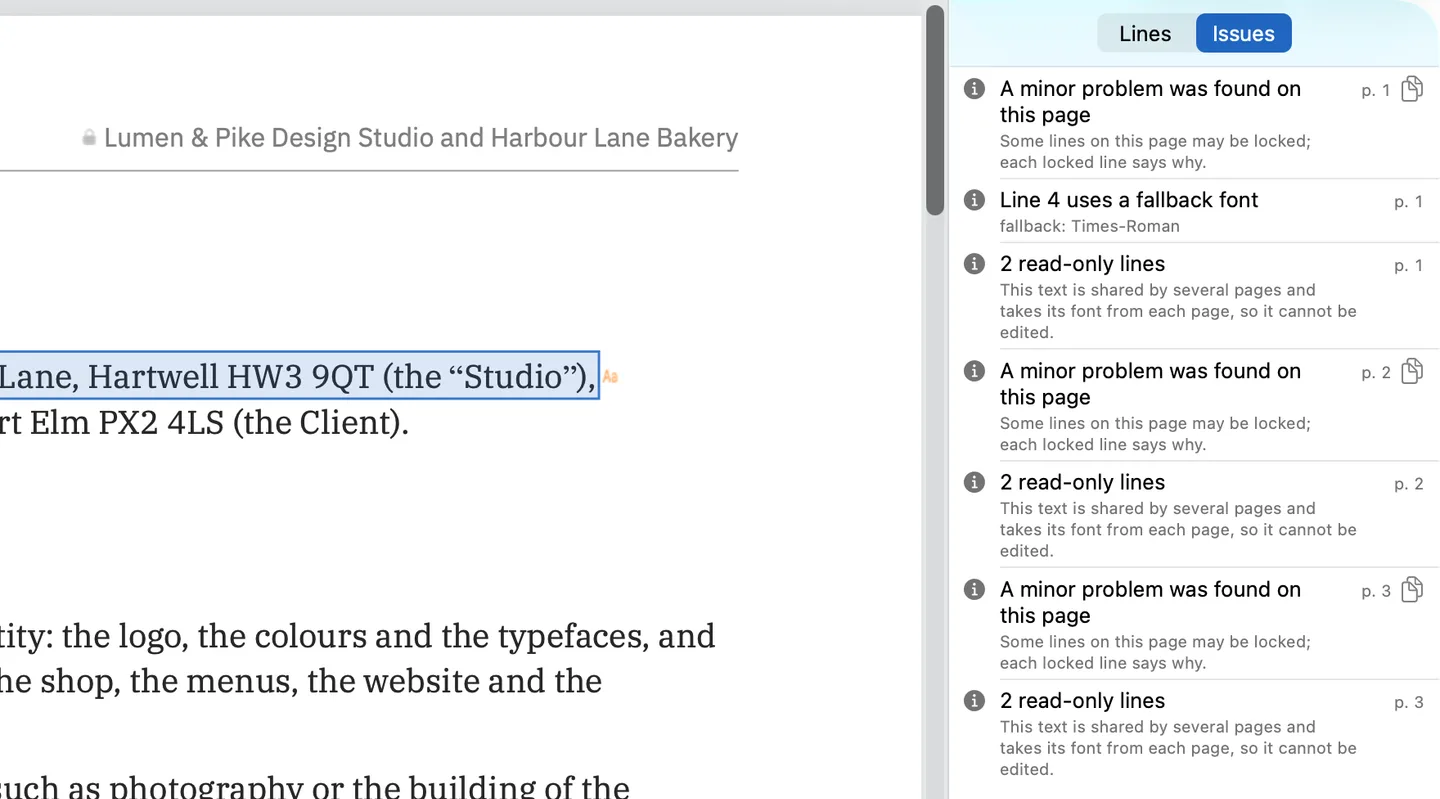
Then it checks. Before an edit is applied, it compares the untouched bytes of the page, the lexing of the new stream, the graphics state before every untouched operator, the position and rendering of every character it keeps, the round trip of the edited line, the resource names and the identity of every typed glyph. If any check fails, the edit is refused and the editor bar says why. The Issues pane in the screenshot above lists what the editor found in the demo contract: a line drawn with a fallback font, and lines it locks because several pages share them and each page supplies their font. It also lists locks such as Type 3 fonts and vertical text. Save writes the whole file again as one revision and verifies the rewrite against the edited document before handing it out, including that none of the replaced bytes remain in the file. Everything you did not edit is copied as it was, unless the file was damaged; the app tells you when it repaired one. The write-up on what saving does measures that on the demo invoice, and the guide to how a PDF stores text covers the background.
What it does not have is a command line. There is no CLI, no scripting interface and no batch find-and-replace across files. You open a document, double-click a line or press Return on it, type, and press Return. If you need the same replacement in a thousand files, a script is the tool, with the font and position limits above. If you need one wrong line in your own document corrected in its own font, a checked edit is the tool. It is a one-time purchase, with no subscription; the pricing page lists the price for each region.
Questions people ask
Can I replace text in a PDF with Python?
With PyMuPDF, through redactions: search for the words, add a redaction annotation with replacement text, apply it. The replacement uses CJK or Base 14 fonts, and its documentation warns the new text may not sit exactly on the old line.
Can qpdf edit the text of a PDF?
No. qpdf transforms a file’s structure and knows nothing about what content streams mean. Its QDF mode lets you edit a file by hand in a text editor, within restrictions, and fix-qdf repairs the offsets.
Why does my replaced text come out in the wrong font?
Either the tool can only write with standard fonts, or the embedded font is a subset that lacks the characters you typed. Either way the new characters come from another font.
Does PDF Textfix have a command-line interface?
No. It is a Mac app for macOS 26 or later on Apple silicon, used through its window, menus and keyboard shortcuts.
