
Text objects follow one another in a page’s content stream and are never nested: “a second BT shall not appear before an ET.” ET ends one “discarding the text matrix”, so each object places its own text before it draws.
What does a text object look like?
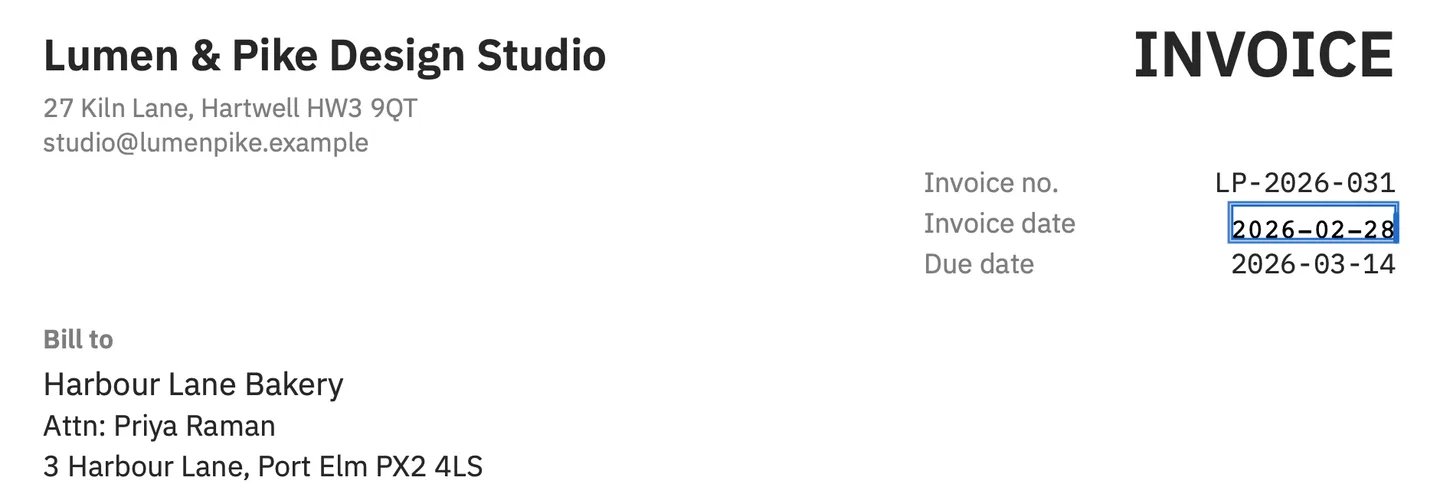
Two from the demo invoice made for PDF Textfix’s screenshots, as qpdf --show-object=5 --filtered-stream-data prints them (brew install qpdf adds qpdf to a Mac; it works on any PDF):
BT 9.5 0 0 9.5 368 730 Tm /TT2 1 Tf [ (In) 8 (v) 8 (oic) 6 (e no) 20 (.) ] TJ ET
BT 9.5 0 0 9.5 468.3 730 Tm /TT3 1 Tf (LP-2026-031) Tj ET
The first draws “Invoice no.” in IBM Plex Sans, the second the number in IBM Plex Mono, both 730 points up the page. Quartz, which the file was made with, sets the size to 1 in Tf and puts the real 9.5 points into the matrix that Tm sets. Tj draws one string with the font’s own spacing; TJ mixes strings with kerning numbers, in thousandths of the font size.
Which spacing operators can a text object hold?
How a PDF stores text explains Tf, Tm, Td, Tj and TJ. The text state has more settings, and each one changes where the next glyph lands:
| Operator | What it sets |
|---|---|
Tc |
Character spacing, added to every glyph’s advance |
Tw |
Word spacing, added at each space |
Tz |
Horizontal scaling, a percentage of the normal width |
TL, T* |
The leading, and a move down to the next line by it |
Tr |
The rendering mode: fill, stroke, clip, or invisible |
The invoice’s column heading “Rate” tightens its letters with Tc and resets it before ET:
BT -0.01 Tc 9.5 0 0 9.5 425.6985 586 Tm /TT1 1 Tf [ (Ra) -6 (t) -6 (e) ] TJ 0 Tc ETRendering mode 3 draws nothing at all, which is how an OCR layer sits invisibly over a scan. PDF Textfix leaves invisible text locked.
Can one line be several text objects?
Yes. The invoice’s first table row is four text objects on one baseline: description, quantity, rate and amount. PDF Textfix’s Lines pane lists the row as more than one line, so correcting an amount leaves the description alone. The reverse also happens: a producer may write a whole paragraph in one text object and step down with Td or T*.
Why must a line edit keep every other glyph where it was?
Inside a text object, positions add up: each glyph’s width and the spacing settings above move the start of the next. PDF Textfix checks that every character it keeps stays where it was, to within 0.0001 of the page’s unit (a point on most pages), and looks as it did; if not, it refuses: “This edit would move or restyle characters it should keep, so it was not applied.” By default the text after your edit stays where it is. Shift Rest of Line (⌃⌘R) moves it by the change in width, and when PDF Textfix shifts it on its own to make room, Keep Following Text in Place puts it back. See editing a PDF without changing its format.
Where do you see text objects?
Only in the decompressed content stream, with qpdf as above. Viewers never show them. PDF Textfix shows lines instead, in the Lines pane (⌥⌘L), each with its font in the tooltip.
Questions about text objects
Is a text object the same as a text box?
No. A PDF has only text placed at coordinates. PDF Textfix edits existing lines and does not add text boxes; see adding text to a PDF.
Can I edit a text object in a text editor?
Yes, in a copy. qpdf --qdf --object-streams=disable in.pdf out.pdf writes the streams uncompressed; change a string, then run fix-qdf out.pdf fixed.pdf, which qpdf’s manual says “is able to restore edited files to a correct state”. Type only characters the embedded subset already has; for any other, the font has no glyph to draw.
What is invisible text in a PDF?
Text in rendering mode 3, 3 Tr: it can be selected and searched, but nothing is painted. See hidden text in a PDF.
Related terms
- Font encoding: how a string’s codes pick glyphs.
- ToUnicode map: how those codes become text again.
- Text converted to outlines: text that left its text objects.