
Acrobat Standard and Acrobat Pro both edit the text of a PDF; the difference is what Pro adds around that. Adobe’s plan comparison says Pro “includes everything in Acrobat Standard” and adds turning scanned documents into editable, searchable PDFs, comparing two PDFs, redaction, web forms and sending e-signature requests in bulk. On October 12, 2026, the comparison listed Standard at US$14.99 a month and Pro at US$19.99 a month in the United States, each on an annual plan billed monthly, with Acrobat Studio above them at US$24.99. The free Acrobat Reader does not edit text at all; the Acrobat Reader page covers what it does instead. Acrobat Pro 2024 is the one version sold without a subscription, as a three-year licence. For a few corrections on a Mac, a one-job editor is a fourth option.
What does Pro add over Standard?
Adobe’s answer, in its own list, is that Standard lets you edit and organize PDFs, convert documents to and from PDF, fill out forms, sign and request e-signatures, and protect files with passwords. Pro includes everything in Standard and adds:
- turning scanned documents into editable, searchable PDFs;
- comparing two PDFs to review differences;
- redacting sensitive information;
- branding agreements with a logo and custom URL;
- web forms and reusable e-sign templates;
- sending e-signature requests in bulk and tracking them.
For someone who only needs to change some text, the first and third items are the ones to weigh. If the PDF is a scan, its text is a picture, and among Adobe’s plans, Pro’s text recognition, which Studio includes too, is what turns it into editable text. If the reason for the change is to remove confidential words, Pro’s redaction tool is built for that and an ordinary text edit is not. The other four items are about forms, signatures and agreements, and matter only if that is part of your work.
What does each plan cost?
The prices below are those Adobe’s comparison page showed for the United States on October 12, 2026, as printed, each “Annual, billed monthly”. The page shows local prices elsewhere, and its pricing page offers other billing options.
| Plan | Price as printed | What Adobe says it is for |
|---|---|---|
| Acrobat Reader | Free | Viewing, printing, sharing and commenting |
| Acrobat Standard | US$14.99/mo | “Simple PDF tool to easily edit and convert documents.” |
| Acrobat Pro | US$19.99/mo | Standard plus scans, comparison, redaction and more e-signature tools |
| Acrobat Studio | US$24.99/mo | Pro plus PDF Spaces, Adobe Express Premium and more |
So on these prices Pro costs US$5 a month more than Standard. Adobe describes the subscription plainly: “When you subscribe to Acrobat Studio, Acrobat Pro, or Acrobat Standard, you pay a monthly or annual fee based on the plan you choose.” This page gives no opinion on whether that is good value; it depends on how often you work on PDFs.
Do Standard and Pro edit text the same way?
Yes. Adobe’s plan comparison has a feature table with four columns, Reader, Standard, Pro and Studio, and the row for editing text and images in a PDF is checked for Standard, Pro and Studio and empty for Reader. Adobe’s help for Acrobat on the desktop describes one editing tool for both: “To replace existing text, click on the text and then type new content.” The Format Text options then change the font, size, color and alignment of the text. Acrobat Pro 2024, the non-subscription version, has the desktop editing tools as well; its FAQ says you get “full access to PDF tools on your desktop only (no web or mobile access).”
Reader stays on the other side of that line. Adobe’s Reader page says “Text and image editing is not available in Acrobat Reader and requires an Adobe Acrobat Standard or Adobe Acrobat Pro subscription.”
Is Acrobat Standard available on a Mac?
Yes. Adobe’s technical requirements cover “Acrobat Studio, Acrobat Pro, and Acrobat Standard” on macOS together: macOS 13, 14 (Sonoma), 15 (Sequoia) or 26 (Tahoe), on an Intel processor or an M1, M2, M3 or M4 Apple silicon chip, with 2.75 GB of available disk space. So on a Mac the choice between Standard and Pro is about features, not platform.
Is there an Acrobat without a subscription?
One. Adobe’s FAQ calls Acrobat Pro 2024 “an updated version of Acrobat desktop software designed to replace the older perpetual software versions.” The comparison page says “Acrobat Pro 2024 desktop software is a one-time, upfront purchase that provides three years of access to Acrobat desktop.” The FAQ adds: “It’s available as a 3-year term license, non-renewing, and paid upfront. Once activated, you can use it offline for the entire term.”
What it leaves out matters as much. The comparison page says “It includes quarterly security updates but does not include Acrobat feature enhancements or access to Acrobat online services via your web browser and mobile devices.” The pages read did not print its price, so this page does not give one. The comparison of PDF editors without a subscription sets it beside other one-time options.
What happens to the font when Acrobat edits text?
This applies to Standard and Pro alike, since both use the same editing tool. Adobe’s help says: “To edit text using a specific font, you must have that font installed on your computer. If the font isn’t installed but is embedded in the PDF, you can only change the text’s color or size.”
A PDF from someone else can embed a font you have never installed: a company typeface, a font from a design app, the font an accounting program puts on its invoices. With those, an Acrobat edit means picking an installed font for the new words. The Acrobat comparison shows this case on the demo documents, whose IBM Plex fonts are embedded and not installed by macOS.
How does the free trial work?
Adobe’s comparison page shows a Free trial button for Pro and Studio, and none for Standard. Its trial page says the trial is 7 days and “After the 7-day free trial ends, your Adobe Acrobat subscription automatically converts to a paid plan at the rate shown at sign up.” The same page says you can cancel during the 7 days without being charged, and that if you do not continue, you can still open PDFs with the free Acrobat Reader. If the trial is for a single correction, put the end date in your calendar.
Which one do you need if you only change some text?
Work through it from the job, not the plan:
- The PDF is a scan. Acrobat Pro, or another tool with text recognition. Reader and Standard will not make a scan’s text editable, and neither will PDF Textfix.
- The words must go for confidentiality. A redaction tool, such as the one in Acrobat Pro. Editing text is not redaction.
- You restyle text, add paragraphs or work on PDFs every week. Standard covers editing; Pro adds the extras above.
- You want Acrobat without paying monthly. Acrobat Pro 2024, on a three-year term, without feature updates.
- One line of your own finished PDF is wrong, on a Mac. PDF Textfix.
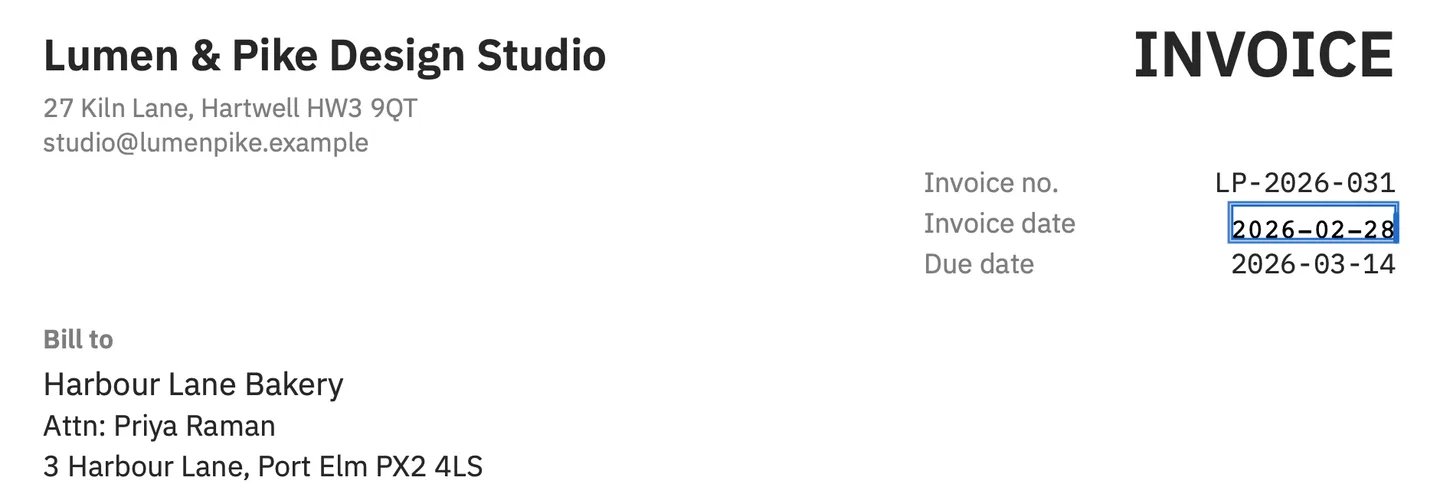
The last case is narrow on purpose. PDF Textfix changes the text already on a page, one line at a time, and nothing else: it does not add text boxes, change fonts or sizes, edit scans, fill forms or redact. You double-click the line, type, and press Return; it writes the new characters with the font the file embeds for that line, installed or not, and marks any character it had to borrow from a fallback font. In the screenshot above, the demo invoice’s date is corrected in the invoice’s own monospaced font. Before applying an edit, it checks that every other character on the page stays where it was. Save writes the file again without the replaced words on the page, and everything you did not edit is copied as it was, unless the file was damaged; the app tells you when it repaired one.
It needs macOS 26 or later on Apple silicon. It is a one-time purchase: US$29.99 in the Mac App Store or US$29 from this website in the United States, with all 1.x updates included. The pricing page lists the other regions.
Questions people ask
What is the difference between Acrobat Standard and Pro?
Pro includes everything in Standard and adds turning scans into editable PDFs, comparing PDFs, redaction, web forms, branded agreements and bulk e-signature requests. Adobe’s desktop help on editing text does not distinguish between the two.
Can Acrobat Standard edit text in a PDF?
Yes. Adobe’s plan comparison marks editing text and images in a PDF for Standard, Pro and Studio. Reader does not have it.
Is Acrobat Pro 2024 a one-time purchase?
Yes. Adobe sells it with a one-time, upfront payment for a three-year term licence that does not renew. It gets security updates but no feature enhancements, and no online services in a browser or on mobile devices.
Does Acrobat Pro have a free trial?
Yes, for 7 days. Adobe says the subscription converts to a paid plan when the trial ends, unless you cancel during the trial.
